

Why customer support is crucial for security & trust
TL;DR:
- Customer support is a critical security layer vulnerable to social engineering attacks.
- High-quality, trained support teams help verify identities and prevent breaches.
- Effective breach response and transparent communication are vital for customer trust and loyalty.
Most people think of customer support as a help desk, a place to reset passwords or track shipments. But for home and business owners who rely on security products, support is actually the first line of defense against attackers. A single poorly trained agent can hand over access to your entire system. 70% of organizations identify customer service as a major vulnerability due to social engineering. This guide breaks down how customer support shapes your security posture, what tools and training matter most, and how to use support as a trust-building asset rather than a liability.
Table of Contents
- How customer support teams impact your security
- Securing customer support tools: A critical layer
- Training support teams and customers to spot threats
- Customer support in breach response: Building trust in real time
- Our take: What most get wrong about customer support and security
- Explore best-in-class support with Safes and Security Direct
- Frequently asked questions
Key Takeaways
| Point | Details |
|---|---|
| Support is security’s front line | Customer support can either prevent or enable security threats, making it a true first line of defense. |
| Secured tools are essential | Hardening support tools stops attackers from exploiting privileged access for lateral movement. |
| Training prevents attacks | Regular training for both support teams and customers dramatically reduces the risk of breaches. |
| Quick response builds trust | Fast, transparent communication after any incident helps retain customer trust and loyalty. |
How customer support teams impact your security
With the groundwork set, let’s examine the real-world impact support can have on your security. Most home and business owners evaluate security products by specs: camera resolution, safe fire ratings, alarm response times. What they rarely check is the quality and security of the support team behind those products. That oversight can be costly.
Customer support is one of the most targeted entry points for attackers. Social engineering, where a bad actor manipulates a support agent into granting access or sharing sensitive information, is alarmingly effective. 70% of organizations see customer service as a major vulnerability because of this exact tactic. Attackers don’t need to crack encryption when they can just call in and pretend to be you.
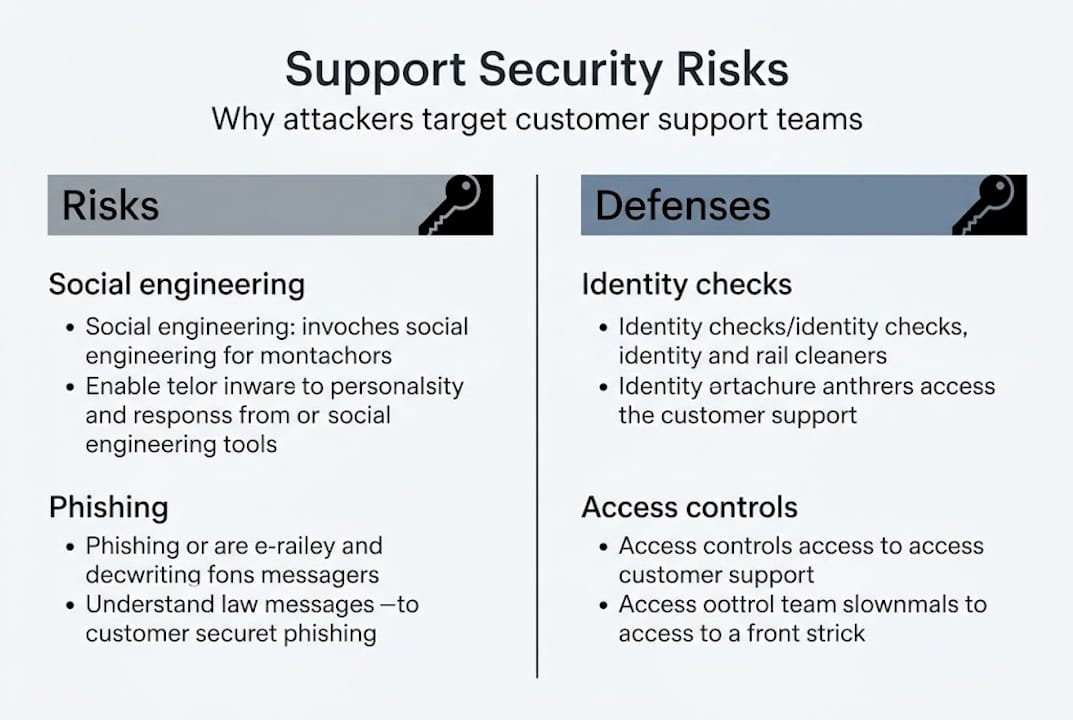
Well-trained support teams do the opposite. They verify identities rigorously, flag suspicious requests, and escalate unusual activity before it becomes a breach. They are, in practice, a human firewall. Understanding home security basics helps you ask the right questions when evaluating any provider’s support capabilities.
| Support quality | Security outcome | Customer impact |
|---|---|---|
| Untrained agents | High social engineering risk | Trust erosion |
| Basic training | Moderate vulnerability | Mixed retention |
| Advanced, ongoing training | Low breach risk | Strong loyalty |
The business case for strong support is just as compelling. 75% of customers would sever ties after a cybersecurity issue, and 91% stop doing business entirely after a breach. Support quality directly determines whether customers stay or leave when things go wrong.
Here’s what strong support looks like in practice:
- Agents who ask layered verification questions before taking any account action
- Clear escalation paths for suspicious or high-risk requests
- Documented protocols for handling data-related inquiries
- Real-time flagging of unusual access patterns
“Support isn’t just about solving problems. It’s about making sure the wrong people never get the chance to create them.”
When you prioritize security solutions for your home or business, factor in the support experience. A great product with a weak support team is a vulnerability waiting to be exploited.
Securing customer support tools: A critical layer
Understanding the risk, it’s essential to look at how support teams themselves guard against becoming the weak link. Even the most well-intentioned agent can become a security liability if the tools they use are compromised. Support platforms, ticketing systems, and internal dashboards are goldmines for attackers because they often hold verified customer data, account credentials, and system access.

Customer support teams in security-focused organizations must secure their own tools and operations with the same rigor applied to any critical system. If a support tool is breached, attackers can move laterally, meaning they use that initial foothold to access other connected systems, databases, or even physical security controls.
Two of the most effective modern defenses are identity isolation and just-in-time access. Identity isolation means support agents operate under separate, limited-privilege accounts that cannot access systems beyond their immediate need. Just-in-time access takes this further: agents are granted temporary permissions only for the duration of a specific task, then that access is automatically revoked.
| Defense mechanism | Traditional approach | Advanced approach |
|---|---|---|
| Account access | Permanent, broad permissions | Just-in-time, task-specific |
| Identity management | Shared logins | Isolated individual accounts |
| Audit logging | Periodic review | Real-time monitoring |
| Tool access | Full platform access | Role-based, minimal exposure |
Pro Tip: When evaluating a security provider, ask directly whether their support team uses role-based access controls and whether agent sessions are logged and audited. A provider that can answer yes with specifics is one that takes this seriously.
For home and business owners, this matters because the provider you choose is an extension of your own security posture. If their support tools are a backdoor, your system is only as safe as their weakest agent. Knowing how to maintain security systems properly also means choosing vendors who maintain their own internal security at the same standard.
Hardening support operations isn’t optional anymore. It’s a baseline expectation for any organization that handles sensitive security data.
Training support teams and customers to spot threats
Securing tools matters, but empowering people is equally vital. Here are actionable steps to keep all users safer. Technology can only go so far. The human element, both on the support side and the customer side, is where most security failures actually happen.
Ongoing security training for support teams through phishing simulations and live drills is not a one-time event. It needs to be a continuous cycle. Attackers evolve their tactics constantly, and training that was current 18 months ago may already be outdated.
For support agents, a strong training program includes:
- Monthly phishing simulations that mimic real attack patterns
- Role-playing exercises where agents practice handling social engineering attempts
- Quarterly reviews of the latest fraud and impersonation tactics
- Clear, written protocols for verifying customer identity before any account change
- Escalation drills so agents know exactly what to do when something feels wrong
Customers also need education. Many people don’t realize that attackers often impersonate them when contacting support. Understanding security terminology helps customers recognize when something is off and ask the right questions.
What customers should know about safe support interactions:
- Legitimate support teams will never ask for your full password
- Verify the support channel is official before sharing any account details
- Be cautious of unsolicited calls claiming to be from your security provider
- Use two-factor authentication so even a compromised password isn’t enough
When both sides of the support interaction are educated, the attack surface shrinks dramatically. Phishing, unauthorized access, and fraud all become significantly harder to pull off. If you want to improve home security in a meaningful way, start by making sure you and your provider are both security-aware at the human level.
The strongest security setups combine great hardware with great people. Training is what bridges the gap.
Customer support in breach response: Building trust in real time
But what happens when things go wrong? Here’s how support can make or break your reputation during a crisis. No system is perfectly immune. Breaches happen even to well-prepared organizations. What separates companies that survive them from those that collapse in their wake is almost always the quality of their response, and customer support sits at the center of that response.
Customer support plays a key role in breach response by communicating transparently, providing timely updates, and offering concrete remediation steps. When customers are scared and confused, a calm, informed support agent is the most powerful trust-building tool available.
The numbers make this urgent. 75% of customers sever ties after a cybersecurity issue, and 91% stop doing business entirely after a breach. Those figures aren’t inevitable. They reflect what happens when support fails to show up with honesty and urgency.
Effective breach response through support looks like this:
- Immediate outreach to affected customers, not waiting for them to call in
- Clear, plain-language explanations of what happened and what data was affected
- Dedicated hotlines staffed by trained agents, not generic scripts
- Offers of credit monitoring, password resets, or other tangible remediation
- Regular updates as the situation evolves, even when there’s nothing new to report
Pro Tip: If a provider goes silent after a breach, that silence is itself a red flag. Proactive communication, even just to say “we’re still investigating,” is what keeps customers from walking out the door.
Support agents become the face of organizational accountability during a crisis. They are not just answering phones. They are representing the company’s values under pressure. Investing in essential home security devices is important, but so is knowing the team behind those devices will stand up when it matters most.
Our take: What most get wrong about customer support and security
Having covered the facts, here’s a frank perspective from security specialists. The security industry spends enormous energy on hardware specs, encryption standards, and installation workflows. Almost no one talks about support quality as a security metric. That’s a blind spot, and it costs people.
Support is not a help desk. It is a security keystone. Every interaction is a potential attack surface or a potential defense. When agents are empowered with training, limited-access tools, and clear protocols, they actively reduce risk. When they’re undertrained and overloaded, they become the easiest path into your system.
For home and business owners, our advice is simple: weigh support security as heavily as you weigh product features. Ask hard questions before you buy. How does the provider verify identity? What happens if their tools are breached? How have they handled incidents in the past?
A solid security setup workflow should include vetting your provider’s support practices, not just their product catalog. The best security solution is one backed by a team that takes every layer of protection seriously, including the human one.
Explore best-in-class support with Safes and Security Direct
Ready to connect with a team that prioritizes your security at every step?

At Safes and Security Direct, security isn’t just what we sell. It’s how we operate. Our knowledgeable support team is trained to help you choose the right products, troubleshoot with confidence, and stay protected at every stage. Whether you’re securing a home, an office, or a commercial property, we bring the same rigorous approach to every customer interaction. Browse our full range of safes, surveillance systems, and security solutions, and experience what it feels like to have a team that genuinely has your back. Your safety is the standard we hold ourselves to, every single day.
Frequently asked questions
How does weak customer support threaten home or business security?
Weak support can be exploited through social engineering, where attackers manipulate agents into granting unauthorized access. 70% of organizations identify customer service as a top vulnerability for exactly this reason.
What security features should a support team have?
Support teams should use identity isolation, just-in-time access, and regular simulation-based training to minimize exposure. Hardening support tools is now considered a baseline requirement for security-focused organizations.
How should support teams respond after a security breach?
They should communicate transparently, provide frequent updates, and offer tangible remediation like credit monitoring or dedicated hotlines. Transparent breach communication is the single biggest factor in retaining customer trust after an incident.
Does customer support really affect customer loyalty after a security incident?
Absolutely. 75% of customers end relationships after a cybersecurity issue, and 91% leave entirely after a breach, making support response a direct driver of retention or loss.
Recommended
- Why Security Integration Matters for Business Safety – Safes and Security Direct
- Importance of Secure Storage – Protecting What Matters – Safes and Security Direct
- Two-factor security explained: boost your digital protection – Safes and Security Direct
- How to Maintain Security Systems for Reliable Protection – Safes and Security Direct