

How to Maintain Security Systems for Reliable Protection
Unexpected equipment failures can leave property vulnerable and disrupt daily operations for American business owners. Addressing maintenance for security systems is more than just routine cleaning—it is about creating a reliable layer of protection and preventing overlooked vulnerabilities. This guide walks you through a structured, step-by-step process to assess, clean, test, and document your system, with a focus on preventative maintenance strategies proven to keep security technology dependable and safeguard your investment.
Table of Contents
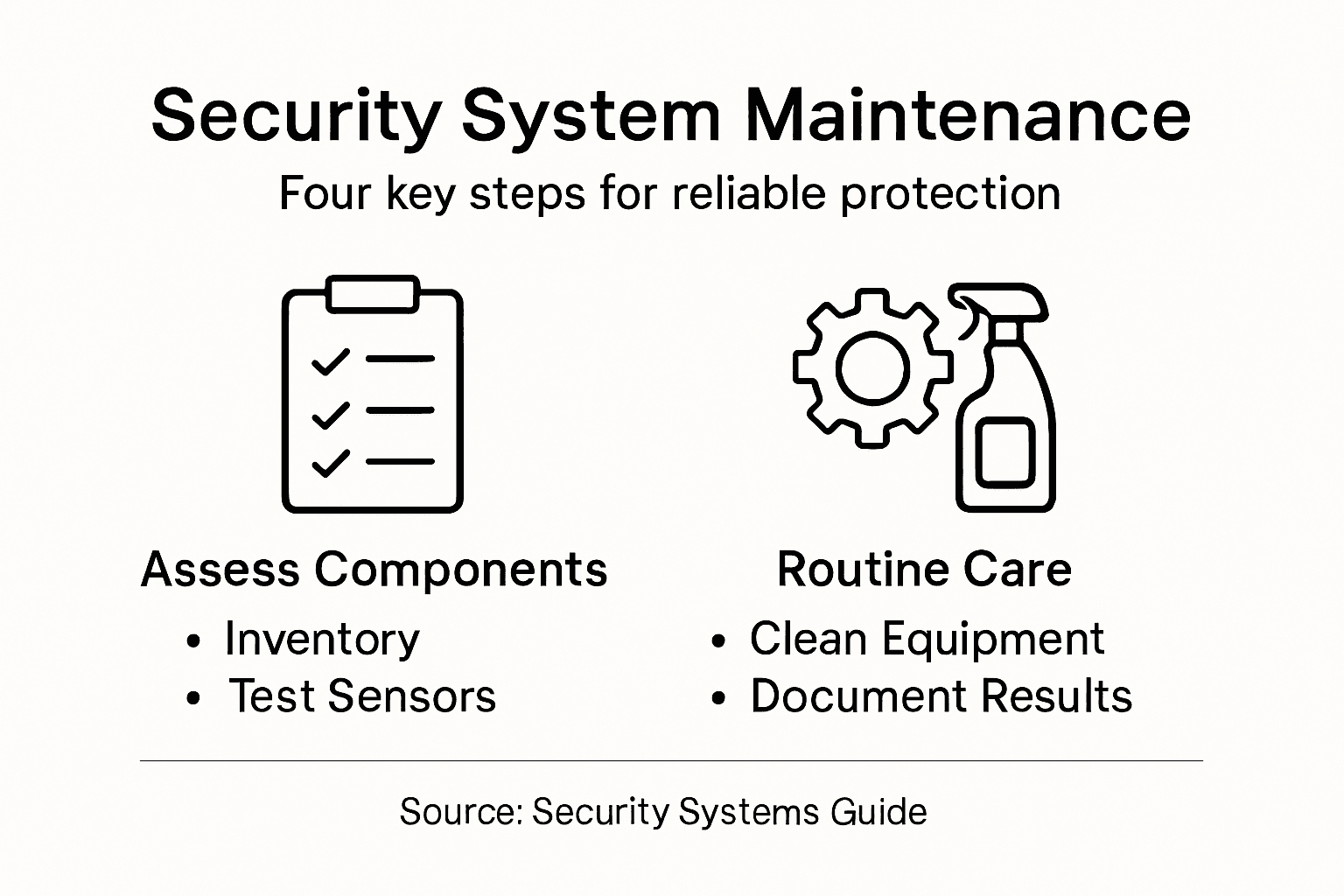
- Step 1: Assess System Components For Maintenance Needs
- Step 2: Clean And Secure All Equipment Regularly
- Step 3: Test System Functionality And Response
- Step 4: Document Maintenance Results And Schedule Follow-Ups
Quick Summary
| Key Point | Explanation |
|---|---|
| 1. Conduct thorough assessments regularly | Evaluate all security system components to identify vulnerabilities and ensure optimal functionality before critical failures occur. |
| 2. Maintain cleanliness of equipment | Regularly clean components to prevent dust buildup, which can lead to equipment deterioration and compromised performance. |
| 3. Systematically test functionality | Perform regular functionality tests to verify that all components respond accurately to potential security threats and work in unison. |
| 4. Document maintenance activities thoroughly | Keep a detailed log of maintenance tasks to track system performance, identify past issues, and plan for future inspections. |
| 5. Schedule proactive follow-up inspections | Create a maintenance calendar based on documentation findings to prioritize future inspections and budget for necessary repairs. |
Step 1: Assess system components for maintenance needs
Maintaining your security system requires a systematic approach to evaluating each component’s condition and operational readiness. When you begin assessing your system, the goal is to conduct a thorough and strategic review that identifies potential vulnerabilities before they become critical failures.
Start by documenting all system components using a comprehensive inventory checklist. Examine each element closely: surveillance cameras, motion sensors, control panels, communication modules, and power supply units. Look for signs of physical wear like corrosion, loose connections, or environmental damage. Preventative maintenance strategies recommend analyzing how these components interact operationally to understand their specific maintenance requirements. Pay special attention to components exposed to harsh conditions or frequent temperature fluctuations, as these environments accelerate component degradation.
A structured approach involves testing each system element systematically. Check sensor responsiveness, verify communication pathways, and assess battery backup health. Security system planning emphasizes documenting security requirements and expected performance levels. This documentation helps track system health over time and provides a baseline for future maintenance decisions.
Pro tip: Schedule quarterly comprehensive system checks and maintain a detailed maintenance log to track performance trends and predict potential equipment failures before they occur.
Here’s a quick guide to common security system components and their maintenance priorities:
| Component | Common Issues | Maintenance Priority | Recommended Frequency |
|---|---|---|---|
| Surveillance Camera | Lens fog, dust, misalignment | High | Clean monthly, inspect quarterly |
| Motion Sensor | Reduced sensitivity, false triggers | Medium | Test quarterly, clean biannually |
| Control Panel | Faulty buttons, display errors | High | Inspect quarterly, test monthly |
| Communication Module | Signal loss, tampering | High | Inspect quarterly, secure semi-annually |
| Power Supply | Battery degradation, loose wires | Critical | Test monthly, replace batteries annually |
Step 2: Clean and secure all equipment regularly
Maintaining the cleanliness and physical security of your security system components is crucial for ensuring optimal performance and longevity. This step involves more than just superficial wiping down of devices it requires a comprehensive approach to equipment preservation and protection.
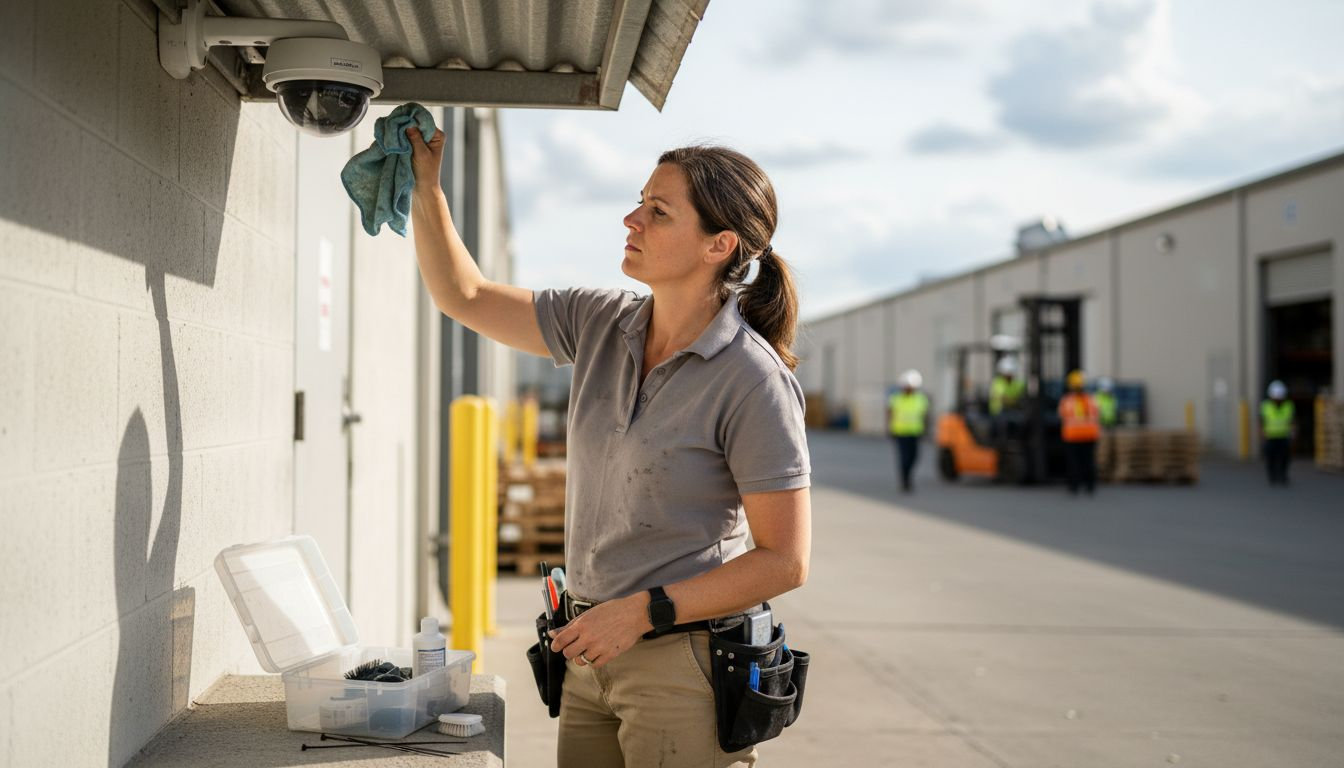
Preventative maintenance practices emphasize the importance of routine cleaning for electronic security equipment. Focus on carefully removing dust dust buildup and debris from cameras sensors and control panels using specialized electronic cleaning tools. Use compressed air to gently blow out dust from hard to reach areas without touching sensitive components. For camera lenses use microfiber cloths and specific lens cleaning solutions to maintain clear image quality. Pay special attention to outdoor equipment exposed to environmental elements like moisture dirt and temperature variations which can accelerate component degradation.
Advanced maintenance approaches recommend implementing a systematic securing process for all system components. This includes checking mounting brackets ensuring tight connections verifying cable integrity and protecting equipment from potential physical tampering. Secure communication modules and control panels in locked enclosures when possible and use tamper evident seals to detect unauthorized access. Regularly inspect mounting locations for signs of wear environmental stress or potential compromise.
Pro tip: Create a dedicated maintenance kit with specialized electronic cleaning tools compressed air microfiber cloths and lens cleaning solutions to standardize your cleaning and maintenance process.
Step 3: Test system functionality and response
Testing your security system is a critical step that goes far beyond simple equipment verification. Your goal is to ensure every component operates precisely as intended creating a comprehensive defense mechanism that responds quickly and accurately to potential security threats.
Intrusion detection testing requires a methodical approach to validate system performance. Start by systematically checking each sensor motion detector and camera for proper communication and response times. Trigger test scenarios that simulate different security events like unauthorized entry or perimeter breaches. Verify that alarm systems activate correctly sound appropriate alerts and communicate with monitoring centers without delay. Pay special attention to communication pathways between different system components ensuring seamless information transfer and immediate response protocols.
Preventative maintenance strategies recommend documenting every test result meticulously. Record response times camera image quality sensor sensitivity and communication reliability. Check battery backup systems wireless signal strengths and ensure redundant communication channels remain functional. Simulate various scenarios including power interruptions network failures and potential equipment malfunctions to gauge your systems comprehensive resilience.
Pro tip: Create a standardized testing checklist with specific parameters and benchmarks to consistently evaluate your security system performance and identify potential improvements.
Step 4: Document maintenance results and schedule follow-ups
Effective security system maintenance requires meticulous documentation and strategic planning for future inspections. Your documentation process serves as a critical roadmap for tracking system performance improving long term reliability and ensuring comprehensive protection.
System security documentation demands a structured approach to recording maintenance activities. Create a comprehensive log that captures detailed information about each system component including inspection dates test results identified issues and recommended actions. Note specific details such as sensor performance camera image quality communication response times and battery backup status. Use digital spreadsheets or specialized maintenance tracking software to organize information consistently and enable easy reference and trend analysis.
This table summarizes how documentation methods support long-term security maintenance effectiveness:
| Documentation Method | Key Benefit | Ideal Format | Example Detail |
|---|---|---|---|
| Digital Maintenance Log | Enables trend analysis | Spreadsheet or app | Past sensor failures |
| Standardized Inspection Report | Ensures consistent records | Digital template | Camera image checklist |
| Scheduled Maintenance Calendar | Reduces forgotten tasks | Shared calendar tool | Battery test dates |
| Action Tracker | Follows up on unresolved issues | Task management tool | Pending repair notes |
Preventative maintenance planning emphasizes establishing a proactive follow-up schedule. Based on your documented findings develop a strategic maintenance calendar that outlines future inspection dates prioritizes potential system upgrades and addresses any identified vulnerabilities. Schedule recurring professional assessments quarterly or semi-annually depending on your specific system complexity and environmental conditions. Allocate budget resources for potential repairs replacements and technological updates to maintain optimal system performance and security readiness.
Pro tip: Develop a standardized digital template for maintenance documentation that captures consistent metrics and enables quick comparative analysis across multiple inspection periods.
Keep Your Security System Reliable With Professional-Grade Solutions
Maintaining the reliability and responsiveness of your security system is crucial to protect what matters most. This article highlights the challenges of regular system assessment, cleaning, functionality testing, and documentation to prevent failures and vulnerabilities. If you want to avoid false alarms, equipment downtime, or security gaps demands such as testing sensor sensitivity or securing communication modules become inevitable. Investing in high-quality equipment that is durable and easy to maintain can reduce these risks and give you peace of mind.
Discover a wide selection of advanced surveillance cameras, dependable motion detectors, power supplies, and secure control panels at Safes and Security Direct. Our professional-grade security products are designed to withstand environmental stress and provide consistent performance guided by best maintenance practices. Act now to upgrade or replace outdated components and schedule your maintenance with confidence. Visit our landing page, explore our carefully curated range, and ensure your security system delivers the reliable protection it promises today.
Frequently Asked Questions
How often should I assess my security system components for maintenance?
Regular assessments of your security system components should take place quarterly. Schedule evaluations every three months to identify any physical wear or operational issues before they escalate.
What cleaning practices should I implement for my surveillance cameras?
To maintain your surveillance cameras, clean the lenses with a microfiber cloth and suitable cleaning solution at least once a month. This ensures clear image quality and optimal performance.
How can I test my security system’s functionality effectively?
You should systematically test each component of your security system at least quarterly. Create a checklist to verify that all sensors and cameras are functioning correctly and that alarms activate as intended.
What should I document during my security system maintenance?
Document all inspection dates, test results, and identified issues in a centralized maintenance log. This helps track performance trends and provides a reference for future maintenance decisions.
How do I schedule follow-up maintenance for my security system?
After documenting maintenance results, develop a maintenance calendar that outlines future inspections and prioritizes identified vulnerabilities. Aim to create a schedule for both quarterly and semi-annual professional assessments to ensure long-term reliability.
Recommended
- Role of Security Systems: Protecting Homes and Businesses – Safes and Security Direct
- Why Choose Security Systems: Protecting Homes and Businesses – Safes and Security Direct
- Why Choose Security Systems: Protecting Homes and Businesses – Safes and Security Direct
- Security Alarm System Installation: Essential Guide – Safes and Security Direct