

What is multi-factor security? Complete 2026 guide
Most property owners assume a strong password or quality lock is enough to keep intruders out. That assumption leaves homes and businesses vulnerable to modern threats. Criminals exploit single-factor security through credential theft, social engineering, and physical bypass techniques. Multi-factor security requires two or more verification factors from distinct categories, creating layered barriers that dramatically reduce unauthorized access. This guide explains how multi-factor security works, why it matters for protecting your property, and practical steps to implement it effectively across digital and physical systems.
Table of Contents
- Key takeaways
- Understanding multi-factor security and how it works
- Why multi-factor security matters for home and business property protection
- Challenges and nuances of multi-factor security implementations
- Practical steps to integrate multi-factor security into your home or business
- Explore advanced security solutions for your property
- Frequently asked questions
Key Takeaways
| Point | Details |
|---|---|
| Two or more verification factors | MFA requires two or more verification factors from distinct categories to create layered barriers against unauthorized access. |
| Blocks automated attacks | MFA blocks 99.9 percent of automated attacks and reduces breach risk by up to 99.99 percent by requiring multiple independent verifications. |
| Phishing resistant tokens | Hardware tokens such as USB security keys offer the highest protection by not relying solely on passwords and by resisting phishing attempts. |
| Practical MFA steps | The guide outlines actionable steps to enable MFA across smart home systems, alarm panels, cameras, and cloud security apps. |
Understanding multi-factor security and how it works
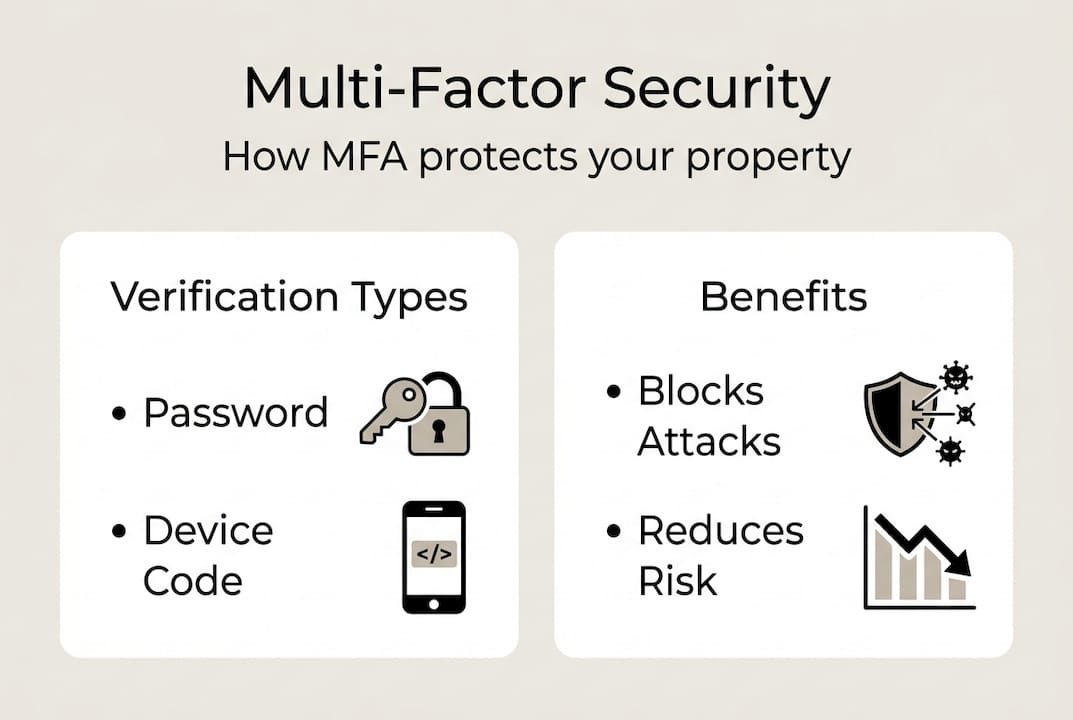
Multi-factor security, also known as MFA, requires two or more verification factors from distinct categories. The three main categories are something you know (password or PIN), something you have (physical token or smartphone app), and something you are (fingerprint or facial recognition). This structure ensures that compromising one factor alone cannot grant access.
Verification methods include passwords, one-time passwords via SMS or app, hardware tokens, and biometrics. App-based OTPs generated by authenticator software provide stronger security than SMS codes because they resist SIM swapping attacks. Hardware tokens like USB security keys offer the highest protection against phishing. Biometric methods add convenience while maintaining security, particularly for physical access points like biometric gun safes that combine fingerprint scanning with backup PIN codes.
Common MFA factor categories include:
- Knowledge factors: passwords, PINs, security questions, pattern locks
- Possession factors: smartphone apps, hardware tokens, RFID keyfobs, smart cards
- Inherence factors: fingerprints, facial recognition, iris scans, voice patterns
- Location factors: GPS coordinates, network addresses, geofencing boundaries
The typical verification sequence follows these steps:
- User enters primary credential like password or swipes RFID card
- System prompts for second factor verification
- User provides additional proof through app code, fingerprint, or hardware token
- System validates all factors before granting access
- Session remains active until timeout or logout
Single-factor methods are vulnerable because stolen passwords grant immediate access. Criminals obtain credentials through phishing emails, data breaches, or physical observation. MFA improves security by requiring attackers to compromise multiple independent factors simultaneously, which is exponentially more difficult. Even if someone steals your password, they cannot access your property without also possessing your phone or bypassing your biometric scan.
For property owners, this means securing smart home systems, alarm panels, and cloud-connected cameras with MFA prevents remote hijacking. Physical security systems benefit from layering PIN codes with RFID access cards and motion sensors. The combination creates redundant verification that catches intrusion attempts at multiple points.
Why multi-factor security matters for home and business property protection
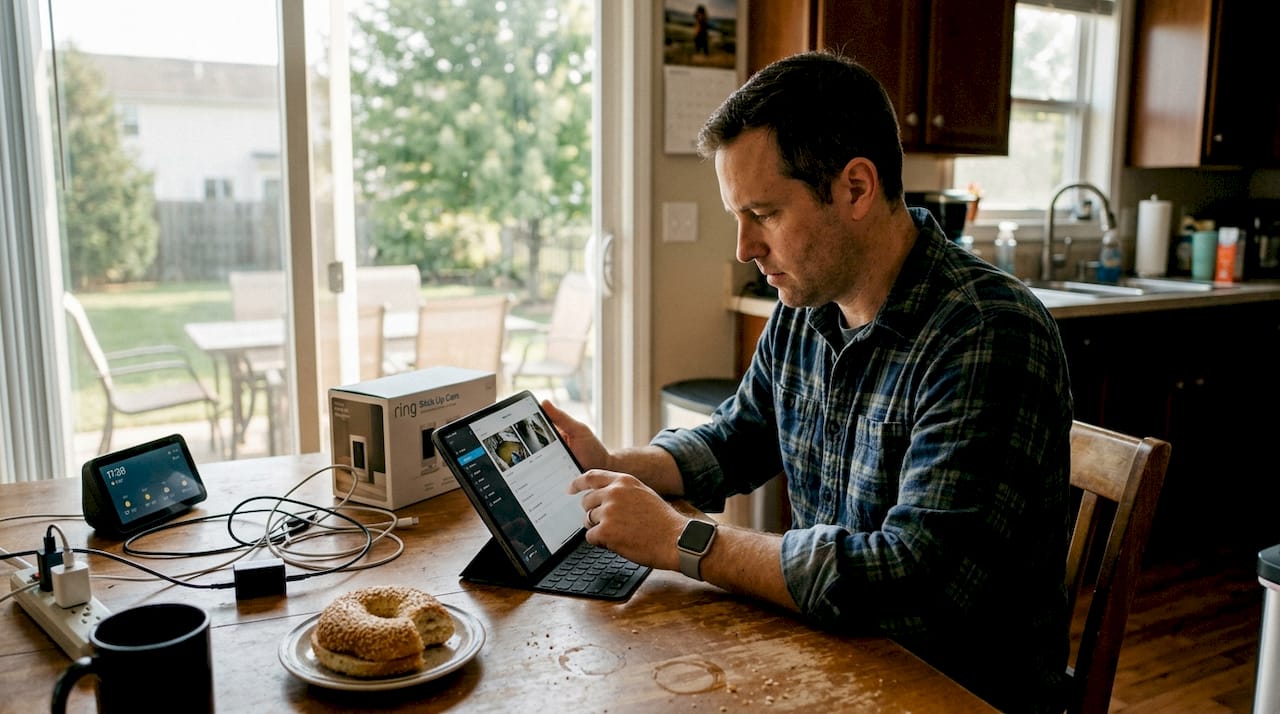
Smart security devices connect to the internet, creating remote access points that criminals exploit. Securing these systems with MFA prevents unauthorized control of alarms, cameras, and smart locks. Cloud-based security apps that manage your property remotely require strong authentication to prevent account takeover. Without MFA, a compromised password gives intruders full control to disable alarms, view camera feeds, or unlock doors remotely.
MFA blocks 99.9% of automated attacks and reduces breach risks by up to 99.99%. These statistics reflect real-world deployment across millions of accounts. For property security, this translates to preventing nearly all remote hacking attempts against your security system. The few attacks that succeed typically exploit sophisticated social engineering rather than technical vulnerabilities.
Layered physical security complements digital MFA by creating multiple verification checkpoints. Door and window sensors detect intrusion attempts. Motion detectors provide secondary confirmation before triggering alarms. Dual-path communications using WiFi plus cellular backup prevent criminals from cutting internet lines to disable monitoring. PIN codes combined with RFID keyfobs ensure only authorized individuals can disarm systems.
Benefits of MFA for property protection include:
- Prevents remote hijacking of smart security devices and cloud accounts
- Reduces false alarms through verified dual-path confirmation signals
- Protects against credential theft from phishing or data breaches
- Creates audit trails showing who accessed systems and when
- Enables secure remote monitoring without exposing vulnerabilities
- Maintains security even if one authentication factor is compromised
Pro Tip: Choose phishing-resistant MFA methods like FIDO2 hardware tokens for securing critical devices such as alarm panels and camera systems. These tokens resist advanced attacks that bypass SMS codes and authenticator apps, providing the strongest protection for high-value access points.
The financial impact matters too. Breaches cost businesses an average of $4.45 million, with compromised credentials responsible for 19% of incidents. For homeowners, successful intrusions result in average losses of $2,800 plus emotional trauma. Implementing MFA costs far less than recovering from security failures. The investment in smart home security often reduces insurance premiums while providing measurable protection improvements.
Combining digital MFA with physical security layers creates defense in depth. Criminals must defeat multiple independent systems simultaneously, which requires resources and time that make your property an unattractive target. Most intruders move to easier opportunities when confronted with layered security.
Challenges and nuances of multi-factor security implementations
MFA fatigue occurs when users receive excessive push notification requests for approval. Attackers exploit this by bombarding victims with authentication prompts until they approve one out of frustration. This social engineering technique bypasses the technical security MFA provides. Organizations combat fatigue by implementing number matching, where users must enter a displayed code rather than simply tapping approve.
SMS OTP faces SIM swapping attacks where criminals convince carriers to transfer your phone number to their device. Once they control your number, they receive your authentication codes. Time-based one-time passwords from authenticator apps resist SIM swapping but remain vulnerable to phishing proxies that intercept codes in real time. These proxy attacks position themselves between you and the legitimate service, capturing credentials and MFA codes as you enter them.
| MFA Method | Security Level | Usability | Known Weaknesses |
|---|---|---|---|
| SMS codes | Low | High | SIM swapping, interception |
| Authenticator apps | Medium | High | Phishing proxies, device theft |
| Push notifications | Medium | Very High | MFA fatigue, approval bombing |
| Hardware tokens | Very High | Medium | Physical loss, cost |
| Biometrics | High | Very High | Spoofing attempts, privacy concerns |
| FIDO2/Passkeys | Very High | High | Limited adoption, device dependency |
NIST and CISA recommend phishing-resistant MFA methods like FIDO2 for high-value access. These cryptographic authentication methods bind credentials to specific devices and websites, making phishing technically impossible. Attackers cannot intercept or reuse FIDO2 authentication even if they position themselves between you and the service.
Pro Tip: Balance security with usability by offering multiple MFA options. Provide hardware tokens for critical access while allowing biometrics or authenticator apps for routine logins. This flexibility maintains strong security without creating friction that encourages users to disable protection.
Physical security systems face different challenges. False alarms from motion sensors triggered by pets or environmental factors reduce trust in the system. Power outages disable wired sensors unless battery backup exists. Internet disruptions prevent cloud notifications and remote monitoring. Criminals exploit these vulnerabilities by cutting power or jamming wireless signals before attempting entry.
Common MFA pitfalls and how to avoid them:
- Relying solely on SMS codes: upgrade to authenticator apps or hardware tokens
- Ignoring backup authentication methods: configure multiple factors to prevent lockouts
- Using the same device for all factors: separate your authentication device from the access device
- Neglecting recovery procedures: establish secure account recovery before emergencies occur
- Overlooking physical security integration: combine digital MFA with sensors and monitoring
- Skipping user education: train household or staff members on proper authentication practices
Implementation complexity increases with system scale. Homes with a few smart devices can enable MFA quickly through mobile apps. Businesses with dozens of access points, multiple user roles, and integration requirements need careful planning. Compatibility issues arise when legacy systems lack MFA support, requiring hardware upgrades or replacement.
The key is understanding that MFA significantly improves security without providing absolute protection. Sophisticated attackers with sufficient motivation can defeat any single security measure. Prioritizing security solutions means implementing multiple independent layers so that defeating one does not compromise the entire system.
Practical steps to integrate multi-factor security into your home or business
Implementing effective multi-factor security requires coordinating digital authentication with physical security layers and backup systems. Follow these steps to build comprehensive protection:
- Enable MFA on all smart home and security apps using phishing-resistant methods when available
- Configure recovery options including backup codes stored securely offline
- Install physical security layers such as door/window sensors, motion detectors, and glass break sensors
- Set up dual-path communications with WiFi primary and cellular backup to prevent signal jamming
- Implement PIN codes combined with RFID keyfobs for alarm panel access
- Configure network segmentation using VLANs to isolate IoT devices from business networks
- Establish battery backup systems for sensors and control panels to maintain protection during outages
- Create user access policies defining who can authenticate and when
- Schedule regular security reviews to update credentials and audit access logs
- Test all authentication methods quarterly to ensure proper function
Combining digital MFA with network segmentation and physical security layers yields higher protection and ROI. Network segmentation prevents compromised IoT devices from accessing sensitive business data. If an attacker breaches a smart camera, they cannot pivot to financial systems or customer databases when networks are properly separated.
| Security Feature | Implementation Method | Protection Impact |
|---|---|---|
| App-based MFA | Authenticator app codes | Blocks 99%+ of automated attacks |
| Hardware tokens | FIDO2 USB keys | Prevents phishing and credential theft |
| Biometric access | Fingerprint + PIN backup | Eliminates unauthorized physical entry |
| Network segmentation | VLAN isolation | Limits breach scope and lateral movement |
| Dual-path comms | WiFi + cellular | Maintains monitoring during outages |
| Battery backup | UPS and sensor batteries | Sustains protection without power |
Backup strategies ensure continuous protection:
- Install uninterruptible power supplies for alarm panels and network equipment
- Configure cellular backup for monitoring signals when internet fails
- Store backup authentication codes in a secure physical location like a safe
- Maintain spare batteries for wireless sensors and replace on schedule
- Establish redundant communication paths for critical alerts
- Document recovery procedures for system restoration after failures
Regular security reviews catch emerging vulnerabilities before exploitation. Schedule quarterly audits of user access permissions, removing accounts for departed employees or household members. Update firmware on all connected devices to patch known security flaws. Review authentication logs for suspicious patterns like failed login attempts or unusual access times.
For businesses, consider asset protection methods that extend beyond perimeter security. Secure high-value items in safes with biometric access. Implement video surveillance with encrypted cloud storage requiring MFA for viewing. Use access control systems that log every entry and exit with timestamp and user identification.
Network best practices include changing default passwords on all devices, disabling unused services and ports, and enabling automatic security updates. Create separate WiFi networks for guests, IoT devices, and business operations. Use strong encryption (WPA3) for wireless networks and require complex passwords for network access.
The goal is creating redundant security that functions even when individual components fail. If your internet connection drops, cellular backup maintains monitoring. If someone steals your RFID card, they still need your PIN code. If power fails, battery backup keeps sensors active. This layered approach mirrors how home users implement MFA effectively by combining multiple independent protections.
Explore advanced security solutions for your property
Implementing multi-factor security becomes easier with the right equipment and guidance. Safes and Security Direct offers comprehensive security solutions designed for homes and businesses seeking layered protection. Our catalog includes biometric gun safes that combine fingerprint recognition with backup PIN codes, creating true multi-factor access control for your valuables.
Explore our selection of surveillance cameras, alarm systems, and access control devices that support modern authentication methods. Each product includes detailed specifications to help you build a security system matching your specific requirements. Our asset protection methods guide provides additional strategies for securing property through coordinated digital and physical security measures.
Frequently asked questions
What is multi-factor security and why does it matter?
Multi-factor security requires users to provide two or more verification factors from different categories before granting access. It matters because single-factor authentication like passwords alone are easily compromised through theft, phishing, or data breaches, while MFA blocks 99.9% of automated attacks by requiring attackers to defeat multiple independent security measures simultaneously.
How does MFA protect smart home and business security systems?
MFA secures the apps and cloud accounts controlling your security devices, preventing criminals from remotely disabling alarms, viewing camera feeds, or unlocking doors. Combined with physical security layers like sensors and dual-path communications, it creates comprehensive protection against both digital and physical intrusion attempts.
What are the main challenges with implementing multi-factor security?
Key challenges include MFA fatigue from excessive authentication prompts, sophisticated attacks like SIM swapping and phishing proxies that bypass weaker methods, and usability friction that may reduce adoption. Selecting phishing-resistant methods like FIDO2 tokens and balancing security with convenience helps overcome these obstacles.
Which MFA method provides the strongest security?
FIDO2 hardware tokens and passkeys provide the strongest security because they use cryptographic authentication that resists phishing, credential theft, and man-in-the-middle attacks. Biometric methods combined with PIN backup also offer high security for physical access points, while SMS codes provide the weakest protection due to SIM swapping vulnerabilities.
How do I implement multi-factor security for my property?
Start by enabling MFA on all security apps using authenticator apps or hardware tokens, then layer physical security with sensors, PIN codes, and RFID access. Add network segmentation to isolate IoT devices, configure dual-path communications with cellular backup, and establish battery backup systems to maintain protection during outages.
Recommended
- Security system must-haves: 5 core components in 2026 – Safes and Security Direct
- What is home security? A 2026 homeowner’s guide – Safes and Security Direct
- How to create security protocols that protect your business in 2026 – Safes and Security Direct
- Why layer security solutions for effective protection 2026 – Safes and Security Direct
- Payment Security Best Practices for Omnichannel Retailers - Omnichannel payments at the Point Of Sale | Sensepass