

Setting up access control systems: a complete 2026 guide
Setting up an access control system can feel overwhelming without clear guidance. Many homeowners and small business owners struggle with planning, selecting the right technology, and ensuring proper installation. Improper setup leads to security vulnerabilities and wasted investment. This guide walks you through every step, from initial site assessment to system configuration, helping you implement a reliable access control solution that protects your property effectively.
Table of Contents
- Prerequisites And Initial Planning
- Choosing The Right Access Control System
- Step-By-Step Installation Guide
- Managing Access Rights And Maintaining Security
- Common Mistakes And Troubleshooting
- Cost, Time Estimates, And Expected Results
- Alternative Approaches And Tradeoffs
- Secure Your Property With Trusted Access Control Solutions
- Frequently Asked Questions
Key takeaways
| Point | Details |
|---|---|
| Planning reduces errors | Site surveys cut installation mistakes by 30-40% through early risk identification. |
| Choose the right system | Balance security needs, budget, and installation complexity when selecting keypad, RFID, or biometric technology. |
| Install with backup power | Proper mounting, wiring, and backup battery systems prevent 20% of downtime risks. |
| Manage access rights actively | Regular permission updates, log audits, and firmware patches maintain security against unauthorized access. |
| Professional help reduces risk | Expert installation offers warranties and support, while DIY suits simpler systems with careful planning. |
Prerequisites and initial planning
Before purchasing any hardware, conduct a thorough security site survey. Walk every entry point of your property and identify vulnerabilities. This assessment reveals which doors, gates, or restricted areas need protection and helps you size your system appropriately.
A security risk assessment identifies weak points that could compromise your entire system. Document foot traffic patterns, lighting conditions, and existing infrastructure. Site surveys typically reduce installation errors by 30-40% by catching issues early.
Gather essential tools before starting installation:
- Power drill with various bits for mounting hardware
- Wire strippers and electrical tape for wired systems
- Voltage tester to verify power connections safely
- Network cable crimper for hardwired networking
- Cable management clips and conduit for clean routing
- Basic hand tools like screwdrivers and pliers
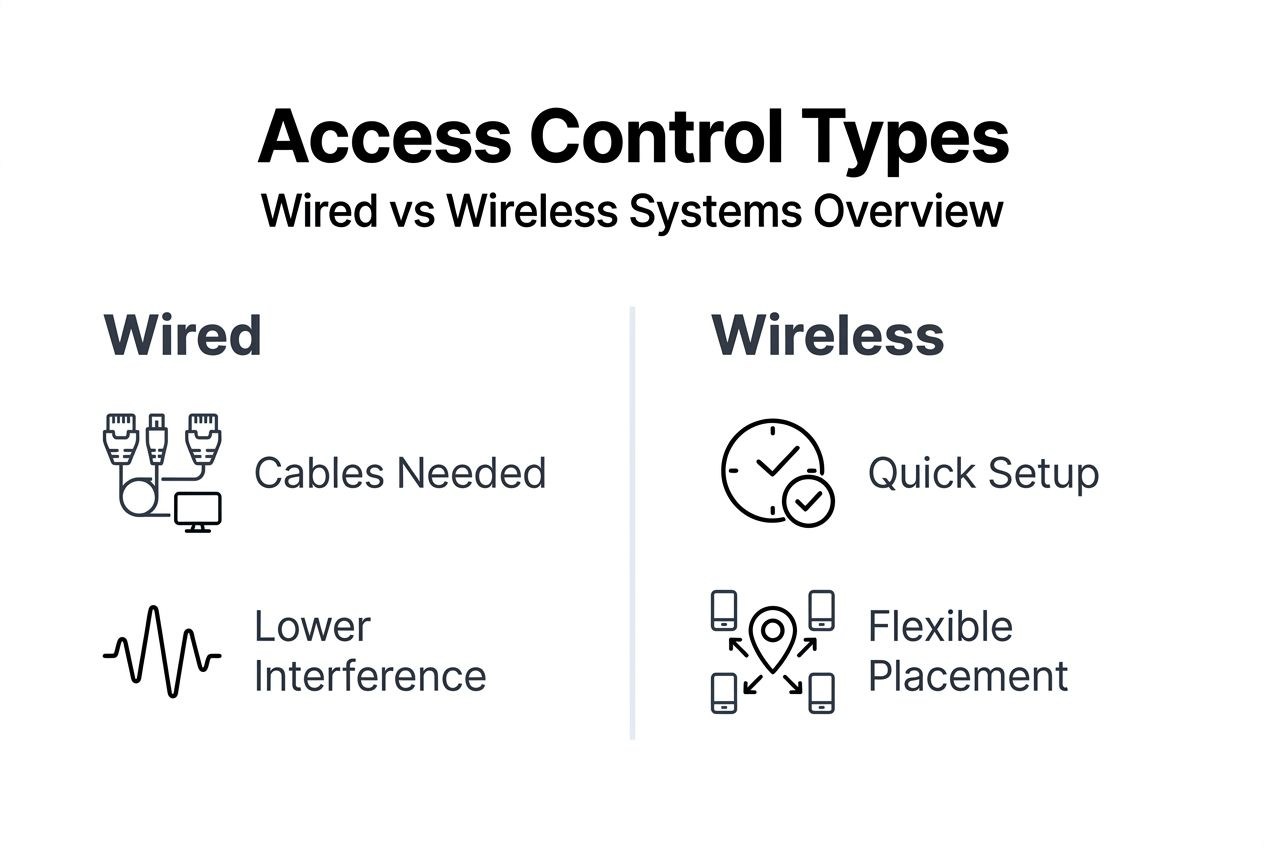
Understand the difference between wired and wireless systems. Wired installations require running cables through walls or conduit, demanding more labor but offering rock-solid reliability. Wireless systems use Wi-Fi or proprietary radio frequencies, enabling faster deployment with flexible placement options.
Map your network infrastructure if choosing IP-based access control. Verify sufficient network bandwidth and plan switch port allocation. Securing commercial premises requires understanding how access control integrates with broader security systems.
Choosing the right access control system
Access control technology ranges from simple keypads to advanced biometric scanners. Each type offers different security levels, costs, and installation requirements. Understanding these tradeoffs helps you select the right fit.
Keypad systems provide basic security through PIN codes. They cost less upfront and install quickly, but codes can be shared or observed. RFID card readers offer better security through physical credentials that you can easily deactivate. Biometric systems using fingerprints or facial recognition deliver the highest security by verifying unique physical characteristics.
| System Type | Security Level | Installation Complexity | Typical Cost | Best For |
|---|---|---|---|---|
| Keypad | Basic | Low | $100-300 per door | Small offices, low-traffic areas |
| RFID Card | Medium | Moderate | $300-800 per door | Businesses with employee turnover |
| Biometric | High | Moderate to High | $800-2000 per door | High-security zones, sensitive areas |
| Smartphone | Medium to High | Low to Moderate | $400-1200 per door | Tech-savvy users, remote management |
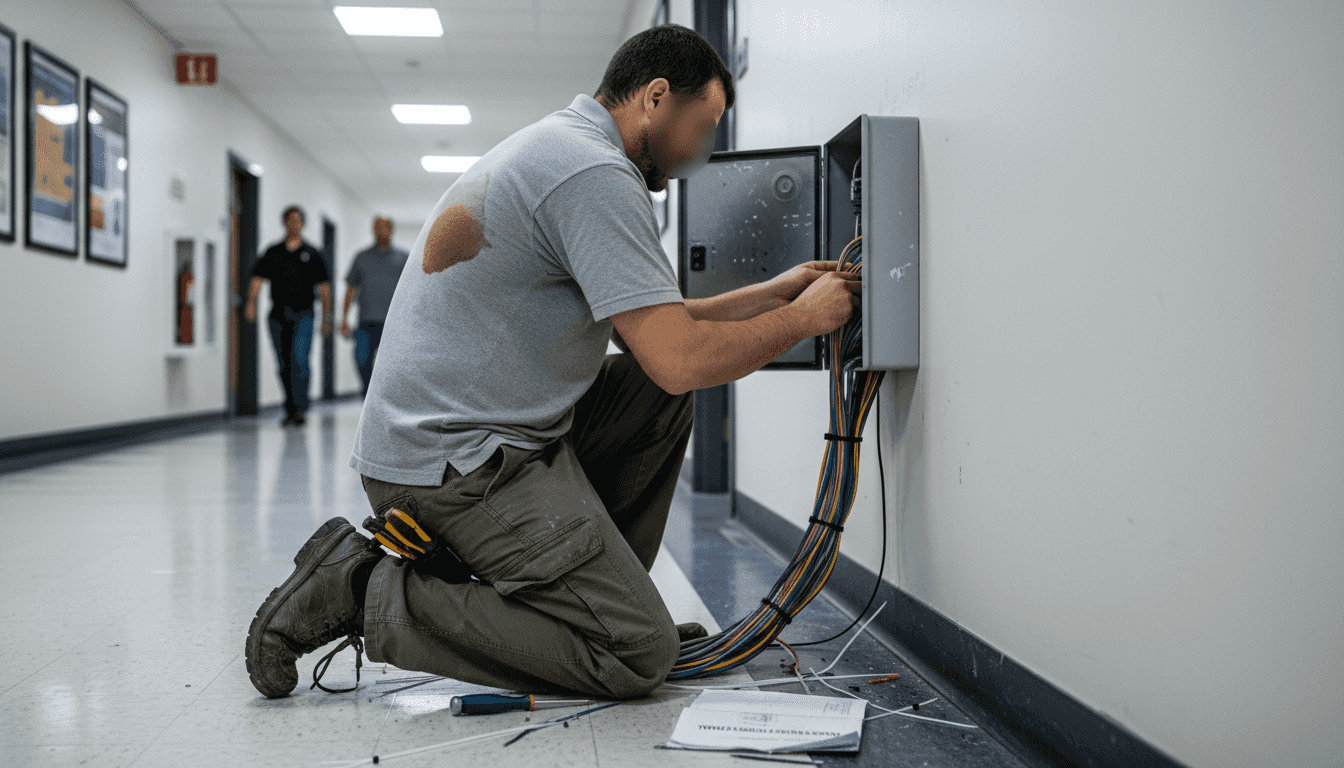
Wired systems connect readers to controllers through physical cables. They resist interference and hacking attempts better than wireless alternatives. However, installation involves drilling, fishing cables through walls, and potentially hiring electricians.
Wireless systems communicate via Wi-Fi, Bluetooth, or Z-Wave protocols. They enable faster installation without extensive wiring work. Battery-powered models work where running power lines proves impractical. Watch for potential interference from other wireless devices and ensure strong signal coverage.
Consider a DIY front door alarm for residential applications where simplicity matters more than enterprise features. Cloud-based management systems let you control access remotely through smartphone apps, perfect for small business owners who need flexibility.
Pro Tip: Choose a system that scales with your needs. Starting with three doors but planning expansion? Select a controller that supports additional readers without replacing core hardware.
Step-by-step installation guide
Start by preparing your infrastructure. For wired systems, map cable routes from each door to your control panel location. Use conduit for exposed runs to protect cables from damage. For wireless setups, verify signal strength at each reader location before mounting.
Mount hardware securely at each controlled entry point:
- Install the electronic strike or magnetic lock on the door frame according to manufacturer specifications
- Mount the card reader or keypad at a comfortable height, typically 48 inches from the floor
- Install the request-to-exit sensor on the secure side to allow free egress
- Add door position sensors to monitor forced entry attempts
- Run and secure all wiring through walls or conduit to the control panel
Connect your system to primary power through a dedicated circuit. Access control systems require stable power and backup battery to maintain operation during outages. About 20% of systems without backup experience downtime causing security risks. Install an uninterruptible power supply or dedicated battery backup at your control panel.
Configure your access management software next. Most modern systems use web-based interfaces for programming. Create user accounts, assign credentials, and set time-based access schedules. Define which users can access which doors during specific hours.
Test thoroughly before declaring the installation complete. Verify every credential works at assigned doors. Test denial scenarios to ensure unauthorized cards or codes get rejected. Confirm request-to-exit sensors trigger properly and door position sensors report accurate status.
For comprehensive security, integrate your access control with other systems. Connect to your alarm system to trigger alerts during forced entry. Link to security cameras for visual verification of access events.
Pro Tip: Label every cable at both ends before connecting to the controller. When troubleshooting months later, you’ll thank yourself for clear identification.
Managing access rights and maintaining security
Access management determines who enters where and when. Your system’s software controls these permissions through user profiles and access schedules. Set up role-based access rather than individual door assignments for easier management.
Review and update permissions regularly:
- Remove credentials immediately when employees leave or tenants move out
- Adjust access schedules for shift changes or seasonal hours
- Create temporary credentials for contractors with automatic expiration dates
- Assign administrative rights carefully to prevent unauthorized system changes
Audit access logs weekly to spot suspicious patterns. Look for failed access attempts, unusual timing, or credential sharing. Most systems generate reports showing who accessed which doors and when. These logs become critical evidence if security incidents occur.
Set up real-time alerts for security events. Configure notifications for forced door openings, repeated failed access attempts, or access during restricted hours. Mobile alerts let you respond immediately even when off-site.
Maintain current firmware to protect against vulnerabilities. Security experts warn that failing to update firmware leaves systems vulnerable to cyberattacks and unauthorized remote access. Check for updates monthly and apply them during low-traffic periods.
Document your system configuration and keep credentials secure. Store master codes and administrative passwords in a physical safe, not on sticky notes. Create a recovery plan for lost credentials or system failures.
Regular security system maintenance extends equipment life and prevents failures. Clean card readers quarterly to remove dirt buildup. Test battery backups monthly to ensure they hold sufficient charge.
Pro Tip: Schedule quarterly access rights reviews with department managers to verify current employees still need their assigned permissions.
Common mistakes and troubleshooting
Improper wiring causes most installation failures. Follow wiring diagrams exactly and use the correct gauge wire for power runs. Test each connection with a multimeter before powering up the system. Loose connections create intermittent failures that frustrate users and compromise security.
Skipping backup power installation risks complete system failure during outages. Improper wiring and neglecting backup power cause many preventable failures. Doors may fail locked during emergencies or fail open, allowing unauthorized access.
Common installation errors to avoid:
- Mounting readers where weather exposure degrades performance
- Placing magnetic locks on fire-rated doors without proper fire safety integration
- Using inadequate power supplies that cause readers to reset randomly
- Forgetting to program fail-safe versus fail-secure lock behavior
- Neglecting to install request-to-exit sensors, trapping people inside
Firmware vulnerabilities create serious security gaps. Outdated firmware causes 70% of access control vulnerabilities that attackers exploit. Set calendar reminders to check for updates or enable automatic update notifications.
Troubleshoot communication errors systematically. Verify network connectivity first for IP-based systems. Check cable integrity and termination quality for wired installations. For wireless systems, test signal strength and eliminate interference sources.
When readers stop working, test the power supply voltage first. Fluctuating voltage indicates undersized power supplies or failing batteries. Check that credentials remain programmed correctly in the system. Sometimes database corruption removes user permissions unexpectedly.
Learn from common security camera installation mistakes that apply to access control too. Poor planning, inadequate testing, and skipping documentation create problems months after installation.
Cost, time estimates, and expected results
Access control system costs vary dramatically based on technology choice and installation complexity. Budget realistically to avoid cutting corners that compromise security. Consider both upfront hardware costs and ongoing maintenance expenses.
| System Scale | Hardware Cost | Installation Time | Professional Install Cost | Total Investment |
|---|---|---|---|---|
| Single door residential | $200-800 | 4-8 hours | $150-400 | $350-1200 |
| 3-5 door small business | $1000-3000 | 2-3 days | $800-2000 | $1800-5000 |
| 10-door office | $3000-8000 | 3-5 days | $2000-5000 | $5000-13000 |
DIY installation saves labor costs but demands technical skill and time investment. Simple wireless systems install faster than wired enterprise solutions. Factor in additional time for troubleshooting unexpected issues during first-time installations.
Effective access control delivers measurable security improvements. Properties with properly installed systems reduce unauthorized entries by over 50%. You gain detailed audit trails showing exactly who accessed which areas and when.
Backup power systems ensure continuous operation during utility failures. Management software provides centralized control over multiple locations. Mobile apps enable remote access management from anywhere.
Expect a learning curve with new systems. Staff need training on proper credential usage and emergency procedures. Plan for gradual rollout rather than switching everything over immediately.
Maintenance costs typically run 10-15% of hardware costs annually. This includes firmware updates, credential management, and occasional hardware replacement. Cloud-based systems often charge monthly subscription fees for software access and storage.
Alternative approaches and tradeoffs
Choosing between DIY and professional installation involves balancing cost savings against expertise and support. Each approach suits different scenarios based on your technical comfort and system complexity.
| Factor | DIY Installation | Professional Installation |
|---|---|---|
| Upfront Cost | Lower, hardware only | Higher, includes labor |
| Installation Quality | Variable, depends on skill | Consistently professional |
| Warranty Coverage | Limited or voided | Full warranty and support |
| Customization | Complete control | Some limitations |
| Troubleshooting | Self-reliant research | Expert support included |
| Timeline | Flexible but potentially longer | Scheduled and predictable |
DIY installation works well for simple systems with clear documentation. Wireless keypads or standalone RFID readers rarely require specialized knowledge. You control the timeline and can adjust plans as issues arise. However, mistakes cost time and money to fix, and you bear full responsibility for performance.
Professional installers bring valuable expertise:
- Experience troubleshooting uncommon issues quickly
- Knowledge of local building codes and fire safety requirements
- Proper tools for challenging installations
- Warranty protection for parts and labor
- Post-installation support and training
Consider hybrid approaches for medium complexity projects. Install simple components yourself while hiring professionals for challenging elements like strike installation in metal frames or network configuration for IP systems.
System complexity should drive your decision. Basic residential keypads suit DIY installation. Multi-door businesses with integrated alarm systems benefit from professional expertise. Biometric systems requiring enrollment programming often need trained technicians.
Your technical background matters significantly. Experience with electrical work, networking, or general construction reduces DIY risks. Complete beginners face steeper learning curves and higher error rates.
Secure your property with trusted access control solutions
Implementing effective access control protects your property while streamlining daily operations. Whether you need a simple keypad for home security or a comprehensive multi-door system for your business, choosing quality equipment makes all the difference.

Explore reliable access control solutions designed for residential and commercial applications. Find expert guidance on selecting the right technology for your specific security requirements. From wireless keypads to advanced biometric readers, professional-grade equipment ensures long-term protection.
Benefit from detailed product specifications, installation support resources, and responsive customer service. Whether you choose DIY installation or professional services, quality components form the foundation of effective security. Invest in trusted solutions backed by warranties and ongoing technical support for lasting peace of mind.
Frequently asked questions
What tools are essential before installing an access control system?
Basic electrical tools including a power drill, screwdrivers, wire strippers, and voltage tester are essential for most installations. You’ll also need cable management supplies like clips and conduit for clean wiring runs. Network crimping tools become necessary for IP-based systems requiring hardwired connections. Prepare backup power equipment and mounting hardware specific to your door types before starting work.
How often should the firmware of access control systems be updated?
Update firmware promptly whenever manufacturers release patches addressing security vulnerabilities or performance issues. Check for updates monthly as a best practice, especially for internet-connected systems. Many modern systems offer automatic update notifications through their management software. Delaying updates leaves your system exposed to known exploits that attackers actively target.
Is professional installation necessary, or can I install the system myself?
DIY installation works for simpler wireless systems with clear documentation and basic security requirements. However, professional installation becomes advisable for complex multi-door setups, systems requiring electrical work beyond basic skills, or installations needing building code compliance verification. Professionals reduce error risks, provide warranties, and offer ongoing support. Evaluate your technical comfort level and system complexity honestly before deciding.
What are the most common installation mistakes to avoid?
Avoid improper wiring by following diagrams precisely and testing all connections before powering up. Never skip backup battery installation, as power failures without backup create major security vulnerabilities. Neglecting regular firmware updates exposes systems to cyber threats. Ensure proper weather protection for outdoor readers and verify fail-safe versus fail-secure lock programming matches your safety requirements. Poor cable management causes long-term maintenance headaches and potential failures.
Recommended
- Security system must-haves: 5 core components in 2026 – Safes and Security Direct
- Asset Protection Workflow Guide for Maximum Security – Safes and Security Direct
- How to secure business premises effectively in 2026 – Safes and Security Direct
- Why Upgrade Security Systems: Essential 2026 Impact – Safes and Security Direct