

Office security plan: Step-by-step to a safer workplace
TL;DR:
- A comprehensive security plan closes operational gaps, prevents preventable threats, and ensures accountability across teams.
- It begins with detailed documentation of physical spaces, assets, and access controls, followed by thorough risk assessments in physical, digital, and organizational domains.
- Effective security requires ongoing testing, staff training, policy updates, and technology integration to adapt and improve against evolving threats.
Picture this: a former employee walks into your office on a Monday morning, badge still active, and spends twenty minutes at a workstation before anyone notices. No forced entry. No alarms. Just a gap in your offboarding process that nobody had closed. These scenarios happen more often than business owners care to admit, and the damage, whether it is stolen data, missing equipment, or a compromised client file, tends to be entirely preventable. A structured security plan does not just lock doors. It closes the gaps, aligns your team, and gives you a repeatable system for staying ahead of threats before they turn into incidents.
Table of Contents
- What you need to get started
- Conducting a thorough office risk assessment
- Defining policies and implementing security technology
- Training, testing, and continuous improvement
- A smarter approach: Treating security planning as a living cycle
- Bring your security plan to life with trusted solutions
- Frequently asked questions
Key Takeaways
| Point | Details |
|---|---|
| Start with risk assessment | Identify vulnerabilities across all office environments before choosing solutions. |
| Integrate policies and technology | Create clear policies and match them with proven security tech for layered protection. |
| Prioritize training and review | Educate employees and regularly test your plan to adapt to new threats. |
| Security is ongoing | Treat your office security plan as a living document for best results. |
What you need to get started
With the stakes clear, let’s look at the core requirements before diving into each planning stage.
Every solid security plan starts with the right raw material. Before you schedule a single meeting or buy a single camera, you need a clear picture of what you are protecting, who is responsible for protecting it, and what tools you already have. Skipping this stage is how organizations end up with expensive technology that solves the wrong problem.
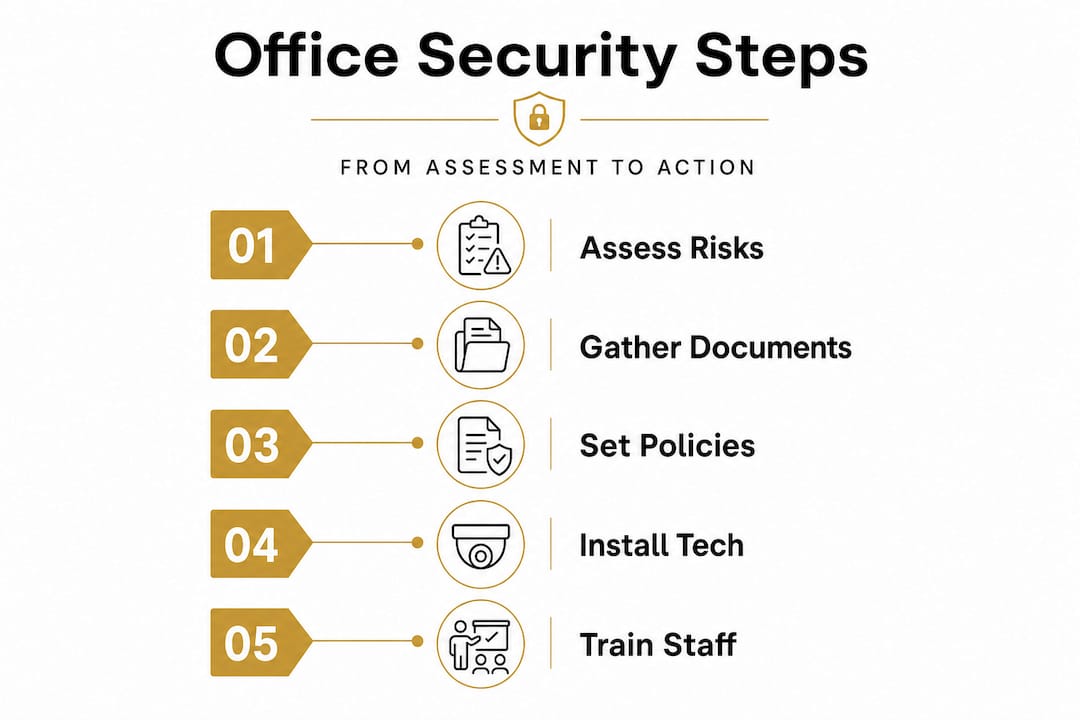
The first essential document is a floor plan or property layout. You need to identify every entry and exit point, server rooms, storage areas, and zones with sensitive materials. Pair that with an asset inventory that lists hardware, data storage devices, and high-value physical items. You also need a current access log showing who holds keys, access cards, or system credentials. Industry security best practices consistently emphasize starting with what you have before deciding what you need.
Stakeholder alignment is just as important as documentation. Security planning without management sponsorship tends to stall. Assign a security lead or small committee with clear roles: someone owns physical security, someone owns digital policy, and someone coordinates staff training. When responsibilities are blurry, accountability disappears.
Key documents and resources to gather before you begin:
- Current floor plans and site maps
- Asset and equipment inventory
- Staff and contractor access records
- Existing emergency response or IT policies
- Incident history (even informal records of near misses)
- Insurance requirements related to security provisions
Pro Tip: Download SMB-specific security templates for documentation. Many professional associations offer free frameworks that give your plan a consistent structure and make future updates much faster. Keeping the plan in a shared, version-controlled document means your team always works from the latest copy.
Enhancing office security is far easier when your team is organized around a shared document foundation rather than scattered notes and verbal agreements.
| Preparation item | Why it matters | Who owns it |
|---|---|---|
| Floor plan and entry point map | Identifies physical vulnerabilities | Facilities or operations manager |
| Asset inventory | Defines what needs protection | IT and operations |
| Access control records | Reveals credential gaps | IT or HR |
| Existing policy documents | Avoids duplicating or contradicting rules | HR and management |
| Incident history log | Highlights recurring risks | Security lead |
Office security planning begins with a comprehensive risk assessment to identify vulnerabilities in physical spaces, digital infrastructure, operations, and hybrid work patterns. Getting this foundation right makes every subsequent step more targeted and more effective.
Conducting a thorough office risk assessment
Now that you have your tools and team in place, let’s tackle the first critical step: assessing your risks efficiently.
A risk assessment is not a single walkthrough with a clipboard. It is a structured process that examines your office across three interconnected domains: physical, digital, and organizational. Each domain has its own vulnerabilities, and a weakness in one can quickly amplify a weakness in another.
How to structure your risk assessment:
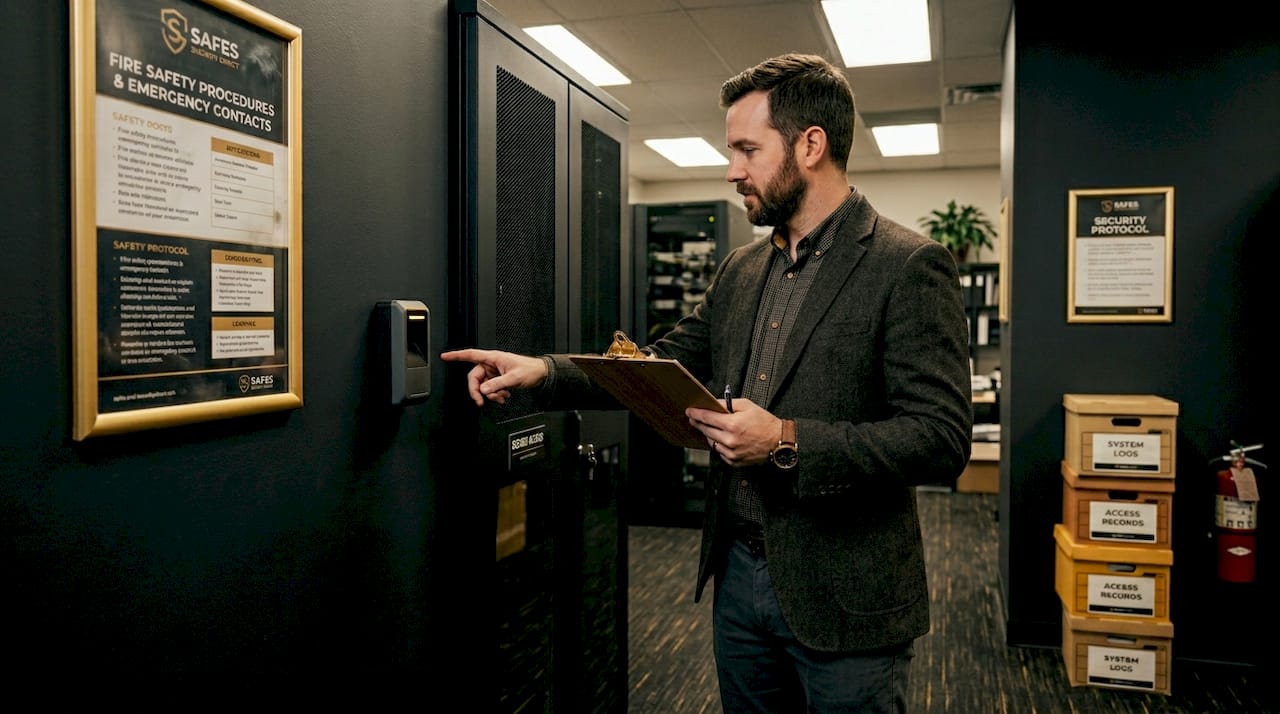
- Walk every physical space with your floor plan in hand. Check entry and exit points, looking for doors that prop open, windows without locks, and reception areas with poor sightlines. Note where sensitive documents or equipment are stored and whether access to those areas is appropriately restricted.
- Audit your digital environment by reviewing network access policies, device management, password protocols, and remote access arrangements. Hybrid work patterns have created new exposure points, particularly around personal devices connecting to corporate networks.
- Review organizational processes including visitor management, contractor access, and employee offboarding procedures. This is where the scenario from the introduction lives. Credential revocation on departure is one of the most consistently overlooked controls.
- Prioritize by likelihood and consequence. Not every risk deserves equal investment. A server room without a lock is a higher priority than a filing cabinet in a low-traffic area. Build a simple matrix scoring each risk on probability and potential impact.
- Document findings clearly, including the gap identified, the affected area, a recommended control, and a responsible owner. Vague findings lead to vague fixes.
Reviewing SME physical security frameworks can help smaller organizations prioritize without getting overwhelmed. Focusing on the highest-impact, most likely risks first produces faster results than trying to fix everything simultaneously.
“Workplace violence is the #1 concern for physical security leaders.”
That statistic carries weight. It means your risk assessment must go beyond locks and cameras to address how staff are trained to recognize and report threatening behavior before it escalates. Only 30% of businesses conduct formal cyber risk assessments, which means the majority of offices have significant digital blind spots sitting alongside their physical ones.
Common risk zones to examine in your assessment:
- Main entry and lobby areas (tailgating risk)
- Server rooms, IT closets, and network equipment
- Storage rooms containing inventory or sensitive documents
- Parking areas and loading docks
- Remote access points and cloud-connected devices
- Areas where cash or valuable equipment is regularly handled
Protecting office valuables requires identifying exactly where they are and what controls currently exist. Reviewing guidance on protecting office valuables can surface practical measures like secure storage solutions and zoned access that your assessment might flag as priorities.
The risk assessment framework approach reminds us that hybrid work patterns deserve the same structured scrutiny as on-site operations. An employee working from a home network with a shared family router is a legitimate vulnerability that should appear in your findings.
Defining policies and implementing security technology
Once you’ve mapped your risks, the logical next move is turning insights into everyday practices and the right technology investments.
A risk assessment without a follow-up policy is just a list of problems. This stage is where your findings become rules, tools, and responsibilities that your team can actually act on.
Start with four core policy documents. Your access control policy defines who can enter which areas, how credentials are issued and revoked, and what happens when someone loses an access card. Your visitor management policy covers sign-in procedures, escort requirements, and badge protocols. Your emergency response plan outlines evacuation routes, communication chains, and lockdown procedures. Your data security policy addresses device usage, remote access standards, password requirements, and data disposal.
Key technologies for modern offices include integrated access control using badges or biometrics linked to booking systems, CCTV with AI analytics, alarms, and intrusion detection. The technology you choose should directly address the risks your assessment uncovered, not just the equipment your vendor happens to carry.
| Security technology | Primary risk addressed | Key capability | Best suited for |
|---|---|---|---|
| Badge and biometric access control | Unauthorized entry | Credential logging and remote revocation | All office entry points |
| CCTV with AI analytics | Theft, tailgating, incidents | Motion alerts, behavioral detection | Reception, parking, server rooms |
| Intrusion detection alarms | After-hours break-ins | Instant alerts to response teams | Perimeter and sensitive areas |
| Visitor management software | Unauthorized access | Digital check-in, photo capture, host alerts | Reception and lobby |
| Secure storage and safes | Asset and document theft | Fire and tamper resistance | Finance, HR, IT areas |
What good technology implementation looks like in practice:
- Access logs that record every entry and exit with timestamps, giving you an auditable trail
- Automatic credential revocation tied to your HR offboarding workflow
- Camera placement that covers blind spots identified in your physical walkthrough
- Alarm systems tested on a documented schedule, not just when you remember
Video surveillance that integrates with your access control system creates a much stronger security posture than cameras operating in isolation. When an access event triggers a camera recording, you have evidence, not just a log entry.
Pro Tip: Integrate badge and biometric access with your meeting room booking system. This gives you a two-for-one benefit: employees move more efficiently through the building while the system automatically logs who was where and when.
Understanding physical security risk reduction principles helps you make smarter technology choices. The goal is layered defense, where losing one control does not immediately expose the next layer.
Guidance on securing business premises makes clear that technology alone is not enough. Policies and technology must reinforce each other. A camera pointed at a door that is always propped open is less useful than fixing the propping habit through a clear policy and staff training.
Training, testing, and continuous improvement
Powerful tech and policies only work when people are prepared. Let’s show how to embed security as an everyday practice.
You can have the most sophisticated access control system on the market and still have a significant vulnerability if your staff holds the door open for anyone who looks like they belong. Human behavior is consistently the most unpredictable element in any security environment. Training addresses that directly.
Building an effective security training program:
- Start with onboarding. Every new employee should receive security training during their first week, covering access procedures, visitor protocols, emergency actions, and how to report suspicious activity.
- Run role-specific sessions. Receptionists need more depth on visitor management. IT staff need more depth on device security and incident response. Managers need to understand their escalation responsibilities.
- Conduct scenario-based walkthroughs. Walk a small group through a simulated tailgating attempt or a lost access card scenario. Real situations teach faster than slides.
- Schedule tabletop exercises. Gather your security committee and walk through a hypothetical incident, such as a break-in after hours or a data breach, step by step. These exercises reveal gaps in your response plan before a real incident does.
- Review and update annually. Plans that are written once and filed away drift out of alignment with reality. Schedule a formal review every twelve months and immediately after any security incident.
Property manager security best practices consistently highlight that the organizations with the strongest security cultures are those where staff feel responsible for security outcomes, not just aware of the rules.
Pro Tip: Document every incident and test, including near misses. A door that almost got tailgated, a badge that was almost not deactivated on time, these are practical data points that tell you exactly where your plan needs strengthening.
| Training activity | Frequency | Who participates | Primary outcome |
|---|---|---|---|
| Security onboarding | Every new hire | All staff | Baseline awareness |
| Role-specific training | Annual | Relevant teams | Functional competency |
| Physical walkthrough | Biannual | Security committee | Gap identification |
| Tabletop exercise | Annual | Management and security lead | Response plan validation |
| Post-incident review | After any incident | All relevant parties | Corrective action |
| Policy document review | Annual | Security lead and management | Plan stays current |
The training cycle and the technology investment reinforce each other. Staff who understand why the access control system works the way it does are far more likely to follow protocols correctly and flag when something seems off.
A smarter approach: Treating security planning as a living cycle
Having covered the nuts and bolts, let’s step back for a candid view on what makes office security resilient in the real world.
The most common mistake we see businesses make is treating security planning like a construction project. You gather requirements, you build the system, you hand it over and walk away. That mental model is wrong, and it is quietly expensive. Threats do not stay static. Your operations do not stay static. Your staff turns over, your floor plan changes, you add a hybrid work policy, you bring on a new contractor. Every one of those changes creates a potential gap that your original plan never anticipated.
The uncomfortable truth is that a security plan is only as good as its last test. A plan that has not been tested in eighteen months is not a plan. It is a historical document.
What actually works is treating security as a cycle rather than a project. You assess, you implement, you test, you learn, and you update. Then you do it again. The organizations that genuinely reduce their security incidents over time are not the ones with the biggest budgets. They are the ones with the most consistent review habits. They hold their tabletop exercises even when nothing has gone wrong. They act on near-miss reports instead of filing them. They revisit their holistic workplace security approach each time a major operational change occurs.
Near misses deserve particular attention. Most businesses track actual incidents because the consequences are obvious. But near misses, the incidents that almost happened, contain equally valuable information without the cost. A staff member who notices an unfamiliar person in a restricted area and reports it before anything happens has just handed you a roadmap for a training gap or a camera placement issue. That information is only useful if you have a system for capturing and acting on it.
Security resilience is not about eliminating all risk. It is about building a system that learns and improves faster than threats evolve. That is a fundamentally different goal than “complete the security plan,” and it produces fundamentally better outcomes.
Bring your security plan to life with trusted solutions
Ready to turn your security plan into reality? Having a clear framework is a powerful start, but the quality of your implementation depends heavily on the tools and products you choose to back it up.

At Safes and Security Direct, we supply professional-grade security equipment designed for exactly the kind of layered, policy-driven approach this guide describes. From AI-enabled surveillance cameras and integrated access control systems to fire-resistant and burglary-resistant safes for protecting your most sensitive documents and valuables, our product range is built for business owners and property managers who take security seriously. Our team can help you match the right technology to the specific risks your assessment uncovered. Explore our full range at Safes and Security Direct and take the practical next step in building a workplace that stays protected.
Frequently asked questions
What is the most important first step in office security planning?
The first step is a comprehensive risk assessment to identify your unique vulnerabilities across physical, digital, and operational areas before committing to any solutions.
What technology should all modern offices include for physical security?
Integrated access control and AI-enhanced CCTV are the two most essential components, providing both access management and real-time monitoring capabilities.
How often should you update your office security plan?
Plans should be reviewed annually or immediately after any security incident, ensuring policies and technology stay aligned with current threats and operational changes.
Why is workplace violence a primary concern for office security leaders?
Workplace violence poses the greatest direct risk to employee safety and is the leading reason organizations invest in physical security upgrades, staff training, and incident response planning.
What common mistakes should office managers avoid in security planning?
Treating security as a one-time project is the most costly mistake. Continuous testing, near-miss documentation, and regular plan reviews are what separate effective security programs from outdated ones that leave gaps open for months.
Recommended
- How to secure business premises effectively in 2026 – Safes and Security Direct
- How to Secure Commercial Premises for Maximum Protection – Safes and Security Direct
- Top security best practices for property managers 2026 – Safes and Security Direct
- How to Enhance Office Security for Better Workplace Safety – Safes and Security Direct