

Best Security Tips 2026 for Homes and Businesses
TL;DR:
- In 2026, the most effective security strategy combines phishing-resistant multi-factor authentication, tested backup systems, and timely patching across digital and physical assets. Layered controls, starting with basic fundamentals like asset inventory and secure configs, prevent most attacks before they happen. Regular testing, integration of physical and cyber defenses, and following the 3-2-1-1-0 backup rule are essential to resilience.
The most effective security strategy in 2026 combines phishing-resistant multi-factor authentication (MFA), hardened backup architectures, continuous software patching, and layered physical controls into a single defense posture. Threats have shifted: vulnerability exploitation now leads all initial access vectors at 31%, while credential abuse has dropped to 13%. That shift means the old playbook of strong passwords alone no longer holds. Whether you own a home or run a business, the best security tips 2026 has to offer are built on this layered model. Tools like Google Authenticator, YubiKey, Bitwarden, and Wordfence each address a specific gap in that model, and knowing where each fits is the difference between a secure property and an exposed one.
1. The best security tips 2026 starts with phishing-resistant MFA
Authentication is the front door of every digital system you own. Standard SMS-based MFA is no longer sufficient because attackers use SIM-swapping and real-time phishing proxies to intercept one-time codes within seconds of delivery.
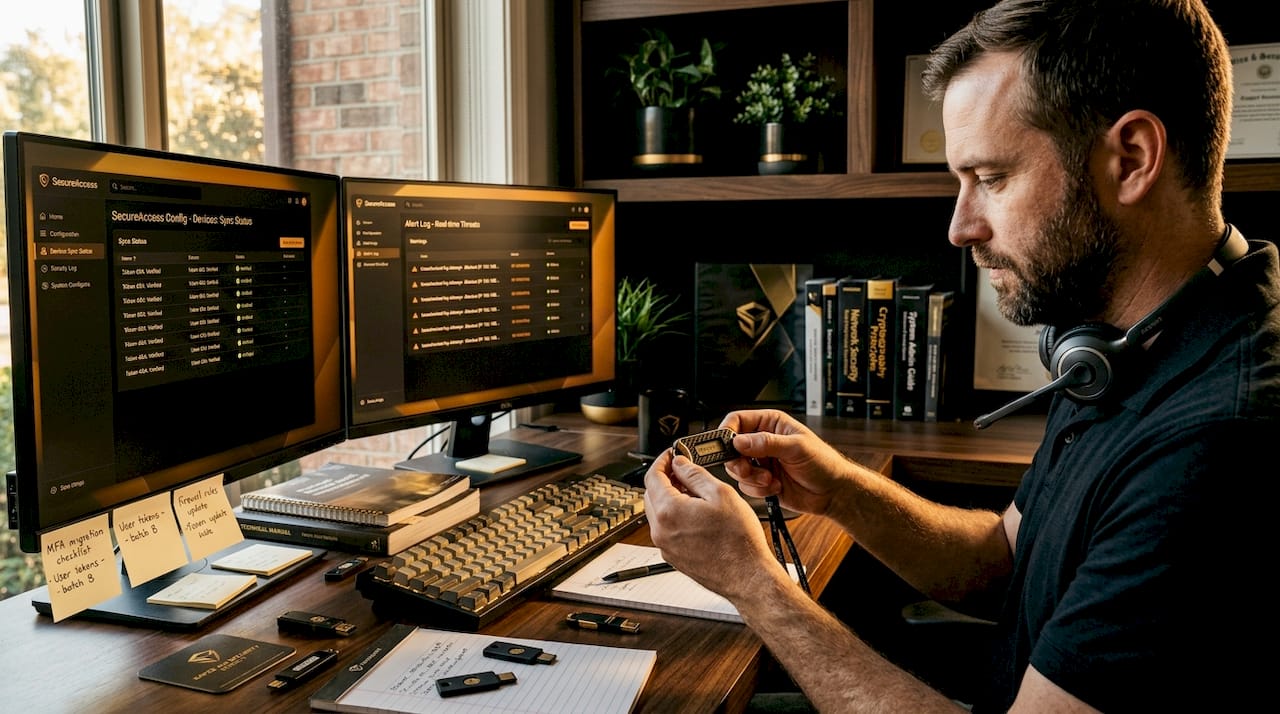
The strongest options available today are hardware security keys like YubiKey and FIDO2-compliant authenticator apps with number-matching prompts. Phishing-resistant MFA methods combined with strict enrollment controls that require verified identity before any MFA change is approved are the single most effective credential defense you can deploy. This matters because most breaches still begin with a stolen or manipulated credential.
Key practices to implement now:
- Replace SMS codes with hardware tokens (YubiKey, Titan Security Key) or number-matching push apps
- Restrict MFA enrollment changes to in-person or identity-verified processes only
- Apply conditional access policies so logins from unexpected locations trigger additional verification
- Enforce least-privilege access so a compromised account cannot move laterally across your systems
- Use IP allowlisting and geofencing for high-value admin accounts
Pro Tip: If you manage a small business, set up a dedicated admin account used only for system changes, with hardware MFA required. Never use that account for daily email or browsing.
2. Adopt the 3-2-1-1-0 backup rule for ransomware resilience
Ransomware actors do not just encrypt your files. They spend days or weeks inside your network before triggering encryption, specifically targeting and corrupting backup systems during that dwell time. A backup that has been quietly poisoned is worse than no backup at all because it creates false confidence.
The 3-2-1-1-0 backup architecture is the current gold standard: three copies of data, across two different media types, with one copy stored offsite, one immutable offline copy that cannot be altered or deleted, and zero errors confirmed through regular restore testing. That final zero is the part most organizations skip, and it is the part that determines whether you recover in hours or weeks.
Follow this sequence to build a resilient backup posture:
- Identify all critical data assets and classify them by recovery priority
- Set up automated daily backups to a local NAS or server
- Mirror those backups to a cloud provider (AWS S3, Backblaze B2, or Azure Blob Storage)
- Maintain at least one air-gapped or immutable offline copy updated weekly
- Schedule monthly restore tests in an isolated environment, not your live network
- Log every restore test result and compare backup timestamps against known system activity to catch silent failures
Backup testing cadence is structurally as important as backup design. A backup you have never tested is a backup you cannot trust.
Pro Tip: Set a calendar reminder for the first Monday of each month labeled “Restore Test.” Treat it like a fire drill. The organizations that recover fastest from ransomware are the ones that practiced recovery before they needed it.
3. Patch software within 43 days or accept the risk
The median time organizations take to patch known vulnerabilities is 43 days. Attackers exploit many critical vulnerabilities within 72 hours of public disclosure. That gap is where breaches happen.
Patching is not glamorous, but the Verizon 2026 DBIR confirms that vulnerability exploitation leads all initial access methods. Every unpatched plugin, outdated operating system, or legacy firmware is an open invitation. For homeowners with smart home devices and business owners running web applications, this applies equally to routers, cameras, and content management systems.
Build a patch schedule: critical patches within 24 to 72 hours of release, high-severity patches within two weeks, and routine updates on a monthly cycle. Use tools like Microsoft Endpoint Manager, Automox, or Patch My PC to automate patch deployment across devices. Never leave default firmware on security cameras or smart locks unchecked for more than 30 days.
4. Secure your website and digital services against current threats
Every business website is a potential attack surface, and homeowners who use smart home platforms or cloud storage face the same exposure. The top website security practices for 2026 cover a specific set of controls that work together rather than independently.
Core digital protection measures to apply:
- Keep all CMS platforms (WordPress, Shopify, Squarespace), plugins, and themes updated immediately when patches release
- Use Bitwarden or 1Password to generate and store unique passwords for every account
- Install an SSL/TLS certificate on every domain you own, including subdomains
- Deploy a Web Application Firewall such as Cloudflare WAF or Wordfence to filter malicious traffic before it reaches your server
- Limit login attempts to five per IP address and lock accounts after repeated failures
- Enable 2FA with a hardware key or authenticator app on every admin account
- Run weekly malware scans using tools like Sucuri or Wordfence and review access logs monthly
| Security measure | Impact level | Skill required |
|---|---|---|
| SSL/TLS certificate | High | Low |
| Web Application Firewall | High | Medium |
| Password manager (Bitwarden) | High | Low |
| 2FA with hardware key (YubiKey) | Very High | Low |
| Weekly malware scanning | Medium | Low |
| Login attempt limiting | High | Medium |
Strong, unique passwords paired with phishing-resistant MFA reduce breach likelihood more than any single technical control. The table above shows that the highest-impact measures also require the least technical skill, which removes the excuse of complexity.
5. Layer physical security controls across your property
Physical security follows the same layered logic as digital security. No single control stops a determined intruder. The goal is to deter, detect, delay, and respond, with each layer buying time for the next one to activate.
Layered physical controls combining perimeter barriers, access control systems, and surveillance cameras with integrated automated response provide measurably stronger protection than any single measure. For homeowners, this means combining exterior lighting, a monitored alarm system, and a quality deadbolt. For business owners, it means access card readers, CCTV with real-time monitoring, and a documented lockdown procedure.
Practical steps to build physical layers:
- Conduct a site risk assessment every 12 months to identify new vulnerabilities such as overgrown hedges blocking camera views or broken gate latches
- Install perimeter lighting with motion sensors at all entry points
- Use access control systems (key fobs, PIN pads, or biometric readers) to log every entry and exit
- Mount cameras at all entry points, parking areas, and high-value storage zones
- Integrate cameras and sensors with automated alert systems that notify you or a monitoring center in real time
- Maintain a visitor log and escort policy for non-staff on business premises
- Train all employees on emergency response procedures at least twice per year
AI-powered video analytics now detect anomalous behavior automatically, reducing the fatigue that comes with manual monitoring. Adoption has grown from 7% of organizations in 2024 to 15% in 2026. That technology is no longer reserved for enterprise budgets. Many mid-range camera systems from brands like Hikvision and Axis now include on-device analytics at accessible price points.
6. Start with CIS Controls baseline before adding complexity
Small organizations frequently make the mistake of buying advanced security tools before covering the basics. The result is tool sprawl: multiple subscriptions, no one monitoring them, and the most common attack routes still wide open.
The CIS Controls v8 IG1 baseline gives small businesses and homeowners a prioritized starting point: asset inventory, secure configurations, MFA, and access controls. These four areas cover the majority of initial access methods attackers use. Once those are solid, you can add endpoint detection, log monitoring, and advanced physical controls without wasting resources.
For a homeowner, IG1 translates to knowing every device on your network, changing default passwords on all of them, enabling MFA on every account, and restricting who can access your home network. For a business owner, it means the same steps applied across all company devices and accounts, with documented procedures for onboarding and offboarding staff. Start there. Expand from a position of strength.
7. Integrate digital and physical security into one system
The most significant gap in most property security setups is the disconnect between digital and physical controls. A business might have excellent firewall rules but no camera coverage of the server room. A homeowner might have a monitored alarm but reuse the same password across every smart home account.
Layered security integration means your access control system logs sync with your IT security logs, your cameras trigger alerts that reach the same monitoring dashboard as your network anomaly alerts, and your staff know the response procedure for both a cyber incident and a physical intrusion. This convergence is where 2026 security strategies are heading, and it is achievable without enterprise-level budgets when you plan the architecture before buying equipment.
For practical guidance on securing business premises with integrated controls, the approach starts with mapping your physical and digital assets on the same diagram so you can see where the gaps are before spending a dollar on new hardware.
Key takeaways
The most effective 2026 security posture layers phishing-resistant MFA, tested backup architectures, continuous patching, and integrated physical controls into a single defense system that addresses both digital and physical threats simultaneously.
| Point | Details |
|---|---|
| Phishing-resistant MFA first | Replace SMS codes with YubiKey or number-matching apps and lock down enrollment changes. |
| Test backups, not just build them | Monthly restore tests in isolated environments prevent silent backup failures during ransomware recovery. |
| Patch within 72 hours for critical flaws | Vulnerability exploitation leads all attack vectors in 2026, making patch speed a primary defense. |
| Layer physical and digital controls | Integrating cameras, access logs, and network alerts into one system closes the gap most properties miss. |
| Start with CIS IG1 baseline | Asset inventory, secure configs, MFA, and access controls cover the majority of common attack routes. |
Why most security setups fail before the first real threat
I have reviewed a lot of security configurations across homes and businesses, and the pattern is consistent. People invest in the visible stuff: a camera above the front door, a firewall subscription, a password manager they set up once and never updated. Then they skip the part that actually determines whether those tools work when it matters.
The backup that has never been tested. The MFA that is still SMS-based because switching felt complicated. The camera that covers the parking lot but not the side entrance where the server room door is. These are not exotic failures. They are the norm.
What I have found actually works is starting with the boring fundamentals and treating them as non-negotiable. MFA on every account, no exceptions. A restore test on the calendar every single month. A physical walkthrough of your property every quarter with fresh eyes, looking for what has changed since the last assessment. The threat landscape shifts continuously, and your controls need to shift with it.
The technical complexity is real but manageable. You do not need to understand every layer of the OSI model to run a restore test or install a YubiKey. You need a checklist, a schedule, and the discipline to follow both. The organizations and homeowners I have seen weather serious incidents are not the ones with the most tools. They are the ones who practiced their response before they needed it.
— Chetna
Protect your property with Safesandsecuritydirect

Safesandsecuritydirect carries the physical security hardware that makes these strategies real: surveillance cameras with on-device analytics, access control systems, fire-resistant and burglary-resistant safes, and monitored alarm components suited for both home and business use. Every product in the catalog is selected for durability and real-world performance, not just spec-sheet numbers. If you are ready to move from planning to implementation, browse the full range of security solutions for homes and businesses and find equipment that fits your specific threat profile and budget. The right hardware, paired with the practices above, gives you a defense posture built for 2026 and beyond.
FAQ
What is the single most effective security measure in 2026?
Phishing-resistant MFA using hardware tokens like YubiKey or FIDO2-compliant apps is the single most effective credential defense available. It directly counters the social engineering and credential-based attacks that remain the top incident drivers.
How often should I test my backups?
Test backups at minimum once per month in an isolated environment that mirrors your live system. Backup testing cadence is as structurally important as backup design for ransomware defense effectiveness.
What does the 3-2-1-1-0 backup rule mean?
The 3-2-1-1-0 rule means three copies of data, on two different media types, with one copy offsite, one immutable offline copy, and zero errors confirmed through restore testing. It is the current gold standard for ransomware resilience.
How do I start improving physical security on a limited budget?
Begin with a site risk assessment to identify your highest-exposure entry points, then add motion-activated lighting and a monitored alarm before investing in cameras or access control systems. Layering controls in priority order delivers the best protection per dollar spent.
What is the fastest way to reduce my website’s attack surface?
Install an SSL/TLS certificate, deploy a Web Application Firewall like Cloudflare WAF or Wordfence, update all plugins and themes immediately, and enable 2FA on every admin account. These four steps address the most commonly exploited website vulnerabilities with minimal technical overhead.
Recommended
- How to Improve Home Security: Proven Steps for 2026 – Safes and Security Direct
- Business security checklist 2026: protect your SME assets – Safes and Security Direct
- Why prioritize security in 2026: protect what matters – Safes and Security Direct
- Home security best practices: protect property in 2026 – Safes and Security Direct