

Smart locks: how they enhance security and control
TL;DR:
- Smart locks offer advanced access management, monitoring, and real-time control beyond convenience.
- Their security depends on proper installation, strong hardware, and cybersecurity best practices.
- Combining smart locks with layered security measures enhances overall property protection.
Nearly 40% of US homeowners now view smart locks as a top security investment, yet most people only think of them as a convenient way to skip carrying keys. The reality is far more layered. Smart locks can transform how you manage access, monitor your property, and respond to threats in real time. Whether you own a single-family home or run a small business with multiple entry points, understanding exactly what smart locks do and where they fall short is the difference between a genuine security upgrade and a false sense of safety. This guide walks you through everything you need to know.
Table of Contents
- What makes smart locks different from traditional locks?
- Key benefits for homeowners and small business owners
- Security strengths and real-world limitations
- Risks and cybersecurity concerns you need to understand
- The overlooked realities of smart lock adoption
- Secure your property with expert solutions
- Frequently asked questions
Key Takeaways
| Point | Details |
|---|---|
| Digital access replaces keys | Smart locks use apps, codes, or biometrics to control entry, making key management easier and more secure. |
| Advanced features add convenience | Features like remote locking, guest access codes, and activity logs simplify management for homeowners and business owners. |
| Physical and digital security matter | Smart locks offer strong physical protection but must be installed on sturdy doors and kept updated to prevent cyber risks. |
| Smart locks can save money | Small businesses see cost and time savings by replacing physical keys with app-managed codes and audit logs. |
| Cyber risks require active attention | Mitigating hacking risks means updating firmware and using strong authentication regularly. |
What makes smart locks different from traditional locks?
At first glance, a smart lock looks like any other deadbolt. The real difference lives inside. Wireless technologies like Bluetooth, Wi-Fi, and Z-Wave connect the lock to your phone, home network, or building management system. Instead of a physical key, you authenticate with a PIN, fingerprint, smartphone app, or even a voice command through a connected assistant.
This shift from physical to digital authentication changes everything about how you manage access. You no longer need to copy keys for contractors or family members. You create a digital credential, assign it an expiration time, and revoke it with a tap. That kind of control was previously only available to large commercial facilities with expensive access control systems.
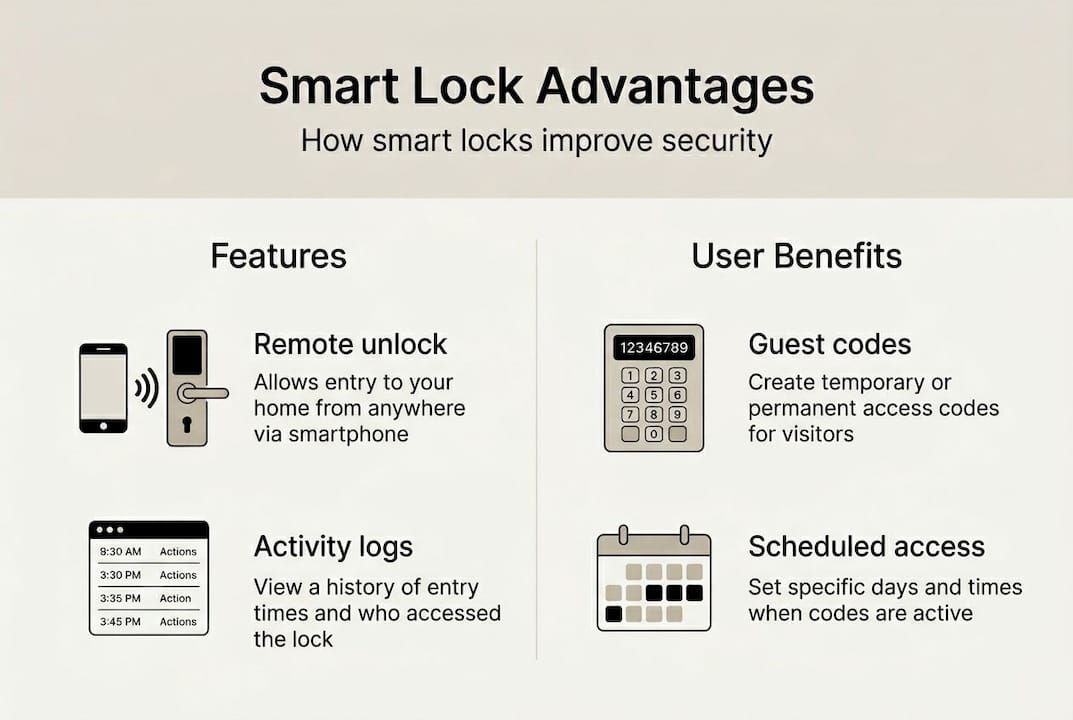
Another major difference is the audit trail. Every entry and exit is logged with a timestamp and user ID. Traditional locks give you zero visibility into who used them or when. Smart locks give you a searchable history you can review from your phone at any time.
That said, the mechanical side still matters. For lock type comparisons, physical durability is rated by ANSI/BHMA grades. A Grade 1 deadbolt withstands 800,000+ cycles, meaning the physical bolt mechanism is just as tough as a traditional lock of the same grade. The digital layer adds features, but the mechanical components are what resist a kick or a pry bar.
| Feature | Traditional lock | Smart lock |
|---|---|---|
| Key type | Physical key | PIN, app, biometric |
| Remote access | No | Yes |
| Audit trail | No | Yes |
| Guest access management | Manual key copy | Temporary digital code |
| ANSI/BHMA Grade 1 available | Yes | Yes |
| Cyber vulnerability | None | Possible |
Key capabilities smart locks add over traditional locks:
- Real-time remote locking and unlocking from any location
- Temporary access codes that expire automatically
- Entry and exit logs with timestamps and user identification
- Integration with cameras, alarms, and smart home systems
- Multiple authentication methods for different users
Key benefits for homeowners and small business owners
The practical advantages of smart locks go well beyond skipping your keychain. Temporary codes, activity logs, and remote locking give homeowners and business operators a level of access control that was previously reserved for enterprise security budgets.
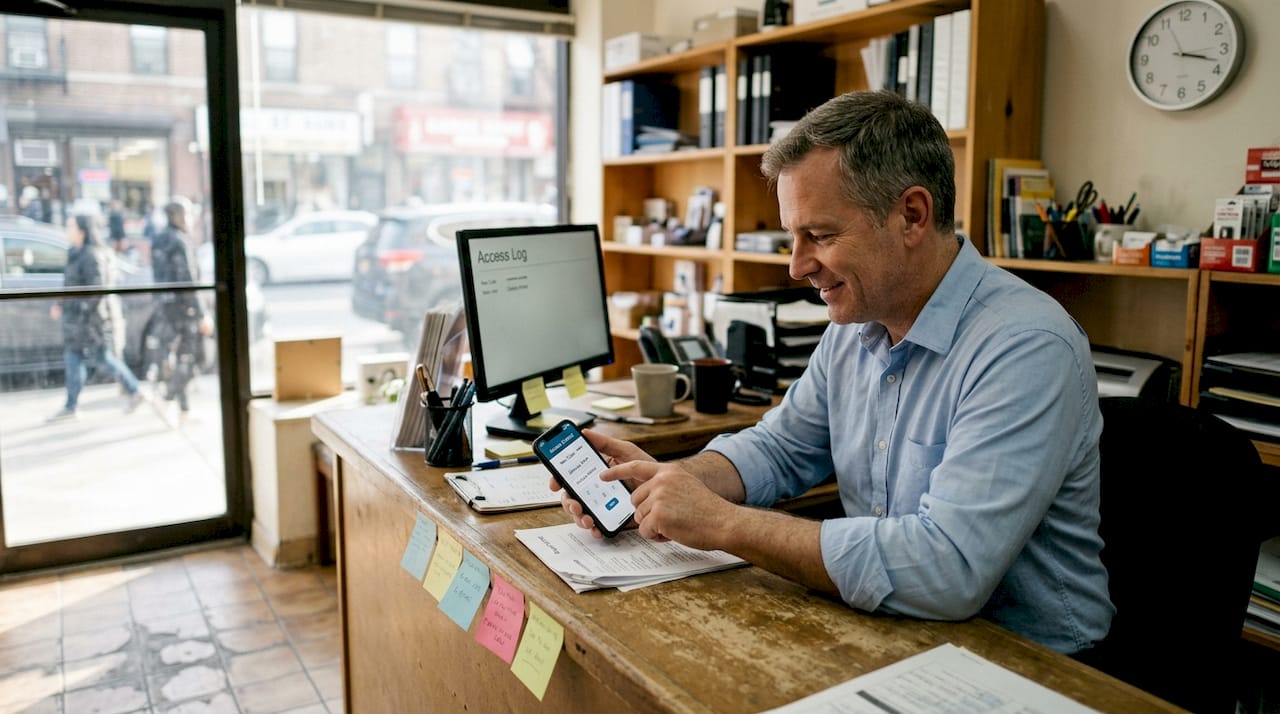
For homeowners, the most immediate benefit is guest management. You can give a house cleaner a code that only works on Tuesdays between 9am and 1pm. You can let a family member in remotely while you are at the office. If someone loses their credentials, you revoke them instantly without rekeying the entire lock.
For small businesses, the impact is even more measurable. App-managed codes and audit logs have helped businesses achieve over 50% faster access delivery and roughly 30% cost savings compared to traditional key management. Fewer lost keys, fewer locksmith calls, and less time spent chasing down who has access to what.
Pro Tip: Set up scheduled access permissions for recurring service providers. A cleaning crew that only needs Friday morning access should never have an always-on credential. Limiting access windows dramatically reduces your exposure if a code is ever compromised.
The smart lock benefits extend to security awareness as well. Paired with entry monitoring insights from cameras, you get a complete picture of who is at your door and what they do when they arrive.
Top benefits ranked by practical impact:
- Instant credential revocation without rekeying
- Scheduled and temporary access for guests or vendors
- Real-time entry alerts sent directly to your phone
- Complete audit trail for accountability and dispute resolution
- Remote lock and unlock from anywhere with internet access
| Benefit | Homeowner use case | Business use case |
|---|---|---|
| Temporary codes | Guests, cleaners, contractors | Delivery staff, part-time employees |
| Audit logs | Know when kids arrive home | Track employee entry and exit |
| Remote access | Lock up if you forgot | Manage multi-site access remotely |
| Cost savings | Eliminate locksmith rekeying | 30% reduction in key management costs |
Security strengths and real-world limitations
Smart locks perform well in physical durability tests. Many achieve Grade 1 or Grade 2 ratings for deadbolts, meaning they match traditional locks in resistance to brute force attacks. The bolt, strike plate, and housing are engineered to the same standards you would expect from a quality mechanical lock.
Biometric reliability has also improved significantly. Fingerprint recognition now achieves 99.8% success rates, and cycle reliability holds at 99.8% after 50,000 operations. Battery life in real-world conditions typically runs 4 to 6 months per charge, which is longer than most people expect.
However, limitations exist that no marketing brochure will highlight upfront. The digital components, including the circuit board, wireless module, and firmware, introduce failure points that a purely mechanical lock simply does not have. A power surge, firmware glitch, or dead battery at the wrong moment can lock you out or, in rare cases, fail to lock at all.
Important: Smart features improve security only when the door frame and strike plate are equally strong. A Grade 1 smart lock mounted in a weak door frame offers no more real-world protection than a basic padlock.
For insight into safety and digital vulnerabilities, it helps to think of your door as a system, not just a lock. The frame, hinges, and strike plate must all be reinforced. Otherwise, the lock is the strongest part of a weak chain.
What to verify before installing a smart lock:
- Door frame is solid wood or reinforced metal, not hollow core
- Strike plate is secured with 3-inch screws into the stud, not just the door jamb
- Door fits the frame snugly with no significant gaps
- Backup power or emergency key access is available
- Firmware update process is straightforward and actively supported by the manufacturer
Risks and cybersecurity concerns you need to understand
The digital nature of smart locks introduces a category of risk that traditional locks simply do not face. 75% of smart lock models contain exploitable vulnerabilities, according to security research. The most common attack types include Bluetooth replay attacks, where a recorded signal is replayed to unlock the door, and denial-of-service attacks that prevent the lock from responding at all.
Log tampering is another concern in lower-quality systems. If the audit trail can be altered, it loses its value as an accountability tool entirely. This is why encryption standards and secure cloud storage matter as much as the physical lock mechanism.
For smart lock digital protection, the best practices are consistent and well-established. Firmware updates patch known vulnerabilities, AES-256 encryption protects data in transit, and two-factor authentication prevents unauthorized app access even if your phone is stolen.
Pro Tip: Treat your smart lock app like your banking app. Use a unique strong password, enable two-factor authentication, and never share login credentials. The physical key is only as secure as the digital account controlling it.
Mechanical locks are not immune to attack either. They can be picked, bumped, or bypassed with the right tools. But they are not vulnerable to remote exploitation or software bugs. The risk profiles are different, not ranked. Understanding both is what drives smart high security investments.
Steps to reduce smart lock cyber risk:
- Enable automatic firmware updates so patches apply without manual intervention
- Choose locks with AES-256 encryption and verified secure Bluetooth protocols
- Activate two-factor authentication on the companion app
- Use unique, complex passwords for the associated account
- Regularly review the access log for any unrecognized entries
The overlooked realities of smart lock adoption
Most smart lock marketing leans hard on convenience. Unlock your door with your phone. Never fumble for keys again. That messaging sells units, but it undersells the real reason security-focused buyers should care: auditability and controlled access are the actual game-changers.
For a small business owner managing multiple staff members, knowing exactly who entered the back office at 11pm on a Tuesday is invaluable. For a homeowner, knowing your teenager arrived home safely at 3:30pm without a phone call is genuinely reassuring. These are not convenience features. They are accountability tools.
What most people miss is that installation quality determines whether any of these benefits materialize. A smart lock on a hollow-core door with a flimsy strike plate is theater, not security. The lock can be Grade 1 rated and still fail if the surrounding structure is weak.
We also think the mechanical-versus-digital debate is a false choice. Neither is perfect. Layered security, combining a quality smart lock with strong door hardware, good lighting, and camera coverage, is always more effective than any single solution. Explore security solution priorities to understand how smart locks fit into a broader, more resilient strategy.
Secure your property with expert solutions
Smart locks are a powerful layer in your overall security setup, but they work best when paired with the right products and professional guidance. Whether you are protecting a family home or managing access across a small business, getting the full picture matters.
At Safes and Security Direct, we carry a curated range of trusted security solutions built for real-world performance, not just spec sheets. From access control systems to surveillance cameras and high-grade safes, our product selection is designed to complement smart lock technology and strengthen every layer of your property’s defense. Browse our catalog or reach out to our team for guidance tailored to your specific setup.
Frequently asked questions
Are smart locks as secure as traditional locks?
Smart locks match Grade 1 deadbolts in physical durability but introduce digital vulnerabilities, since 75% of models face hacking risks that require active mitigation through encryption and firmware updates.
How long do smart lock batteries last?
Battery life runs 4 to 6 months in typical real-world use, though heavy traffic locations or frequent Bluetooth polling can shorten that window.
Can smart locks be hacked?
Yes, 75% of smart lock models contain exploitable vulnerabilities, but consistent firmware updates, AES-256 encryption, and two-factor authentication significantly reduce that risk.
Do smart locks work well for frequent guest access?
Temporary codes and activity logs make smart locks ideal for frequent guest scenarios, allowing you to grant and revoke access instantly without any physical key exchange.
Recommended
- Smart Home Security: Cut Insurance 15% & Boost Safety – Safes and Security Direct
- How to Improve Home Security: Proven Steps for 2026 – Safes and Security Direct
- Top Home Security Products: Essential Devices – Safes and Security Direct
- 7 Key Benefits of Smart Safes for Secure Asset Protection – Safes and Security Direct