

Examples of Security Hardware: 2026 Buyer's Guide
TL;DR:
- Security hardware encompasses physical and cryptographic devices designed to prevent unauthorized access, detect tampering, and protect assets across digital and physical spaces. Combining categories like network firewalls, access controls, surveillance, and cryptographic modules provides comprehensive security against diverse attack surfaces. Effective security relies on ongoing maintenance, proper integration, and aligning hardware choices with specific risk assessments and threat models.
Security hardware is defined as any physical or cryptographic device designed to prevent unauthorized access, protect sensitive assets, and detect tampering across both digital and physical environments. The category spans everything from hardware firewalls and biometric scanners to tamper-resistant enclosures and USB decontamination stations. Whether you manage a home, a small business, or an enterprise facility, understanding the right examples of security hardware helps you build layered protection that software alone cannot deliver. This guide covers the most important types, with specific product examples and practical guidance on how to choose what fits your situation.
1. Examples of security hardware: the main categories
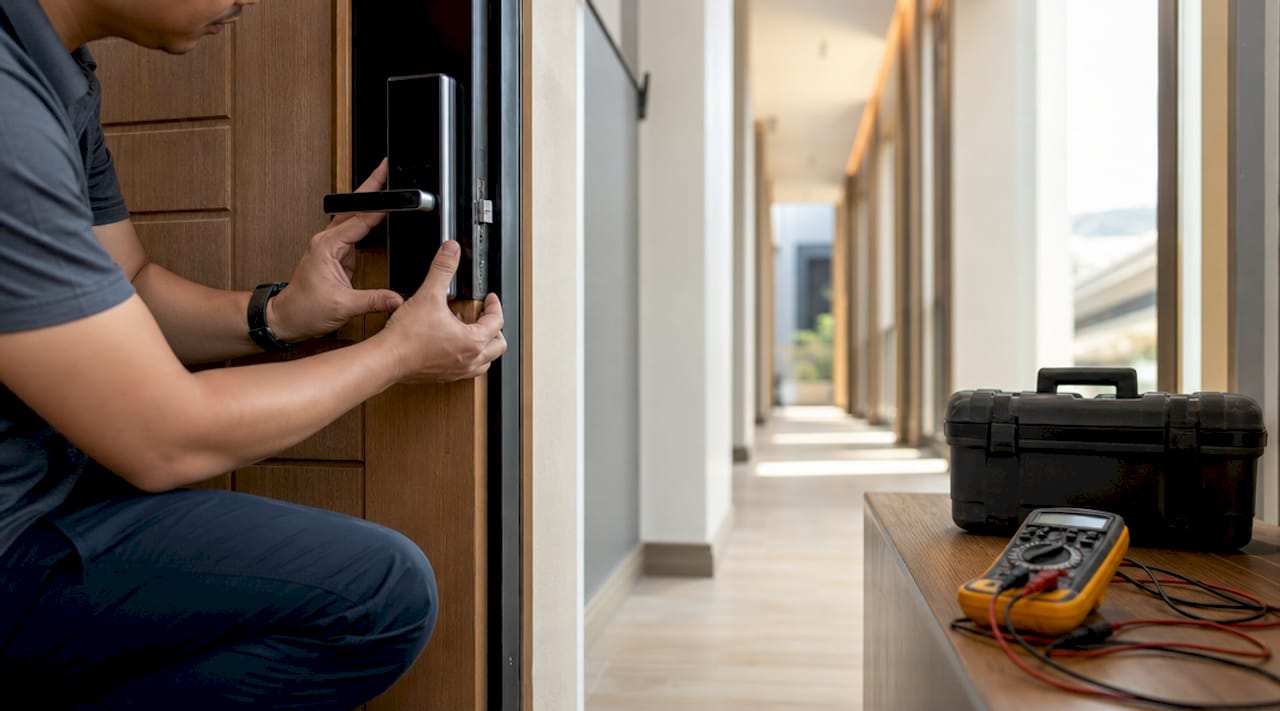
Security hardware covers five functional areas: network appliances, cryptographic modules, endpoint and IoT protection, physical access control, and security-focused computing. Each category addresses a distinct attack surface, and the strongest protection comes from combining devices across all five. Treating any single category as sufficient leaves gaps that determined attackers will find.
The five categories break down as follows:
- Network appliances: Firewalls, intrusion detection systems (IDS), and intrusion prevention systems (IPS)
- Cryptographic modules: Hardware Security Modules (HSMs), hardware security keys, and Trusted Platform Modules (TPMs)
- Endpoint and IoT protection: Ruggedized edge devices, secure boot hardware, and port isolation tools
- Physical access control: Smart locks, card readers, biometric scanners, and tamper sensors
- Security-focused computing: Encrypted storage drives, air-gapped workstations, and hardware-enforced memory isolation servers
Pro Tip: Don’t evaluate security hardware in isolation. A biometric door lock paired with a video surveillance system and a centrally managed alarm platform gives you detection, deterrence, and response in one coordinated setup.
2. Hardware firewalls and network security appliances
A hardware firewall is a dedicated physical device that filters traffic between your internal network and the outside world, operating independently of any host operating system. Unlike software firewalls, a hardware firewall cannot be disabled by malware running on a connected computer. Cisco, Fortinet, and Palo Alto Networks all produce next-generation firewall (NGFW) appliances that combine deep packet inspection with application-layer awareness.
Next-generation firewalls require continuous updates and active threat intelligence feeds to stay effective. Buying a firewall and leaving it on default settings is one of the most common and costly mistakes small businesses make. Pair your firewall with an IDS or IPS device to detect and block lateral movement inside your network once a perimeter breach occurs.
3. Physical access control devices
Physical access control hardware includes any device that restricts or monitors who enters a space. Card readers, PIN keypads, biometric fingerprint scanners, and retinal scanners all fall into this category. Modern installations often combine two or more of these into a single entry point, which security professionals call multi-factor physical authentication.
Smart locks from brands like Schlage and Yale now support integration with broader building management systems, allowing centralized control of every door on a property. For businesses managing security hardware in multi-unit buildings, centralized access logs provide an audit trail that is invaluable during incident investigations. Biometric scanners add a layer that cannot be lost, stolen, or shared the way a keycard can.
4. Video surveillance systems
Video surveillance hardware is one of the most widely deployed examples of surveillance tools, covering everything from basic IP cameras to professional-grade PTZ (pan-tilt-zoom) systems with onboard analytics. Modern surveillance cameras from manufacturers like Axis Communications and Hanwha Vision process video locally on the device, reducing bandwidth requirements while enabling real-time object detection and license plate recognition.
Professional monitoring and video verification dramatically reduce false alarm rates compared to unmonitored systems. A camera that records footage is useful after an incident. A camera connected to a monitoring center that can dispatch responders within minutes is a deterrent before one. For homeowners and businesses alike, the distinction between passive recording and active monitoring is the difference between evidence and prevention.
5. Hardware security keys and cryptographic modules
Hardware security keys are physical devices that generate or store cryptographic credentials, making them one of the most effective examples of security hardware for protecting digital accounts. Yubico’s YubiKey devices range from $29 entry-level models to $68 advanced versions supporting OpenPGP and PIV protocols. This price range puts enterprise-grade authentication within reach of individual users and small businesses.
Hardware Security Modules (HSMs) serve a similar function at a larger scale, protecting cryptographic keys used by servers, payment systems, and certificate authorities. HSMs prevent key access even when software or hypervisor layers are compromised, which is why financial institutions and government agencies treat them as non-negotiable infrastructure. Intel TDX-enabled servers extend this concept by providing hardware-enforced memory isolation that protects sensitive workloads from access by the host operating system itself.
For embedded and IoT applications, ZYMKEY 5 modules from Zymbit offer tamper detection and ECC cryptography with perimeter breach sensors and integration with Linux security modules. This makes them a practical choice for edge devices deployed in physically exposed locations.
6. Trusted Platform Modules (TPMs)
A Trusted Platform Module is a dedicated microchip embedded in a device’s motherboard that stores cryptographic keys, certificates, and measurements of system integrity. TPMs are the foundation of secure boot processes on Windows 11 PCs and are required for BitLocker drive encryption. Every modern business laptop from Dell, HP, and Lenovo ships with a TPM 2.0 chip as standard.
The practical value of a TPM is that it ties the encryption of a drive to a specific piece of hardware. Even if an attacker removes the drive and installs it in another machine, the data remains encrypted and inaccessible without the original TPM. This makes TPMs one of the most cost-effective security equipment options available, since they are already present in most modern hardware at no additional cost.
7. Ruggedized and industrial security hardware
Industrial environments demand security hardware that goes beyond standard commercial specifications. Cisco’s industrial secure routers use Trust Anchor technology to verify firmware authenticity at boot and are built to withstand electrostatic discharge, temperature extremes, and physical shock. This matters in manufacturing plants, utilities, and transportation infrastructure where standard office-grade hardware would fail within months.
Ruggedized hardware ensures integrity in environments where tampering is a real operational risk, not just a theoretical concern. For critical infrastructure operators, the choice between commercial and industrial-grade security hardware is not a budget decision. It is a reliability and compliance decision, particularly under frameworks like IEC 62443.
8. USB decontamination stations
USB drives are one of the most persistent physical attack vectors in both corporate and government environments. TYREX SATELLITE is a compact USB decontamination station that runs multiple antivirus engines simultaneously to detect malware and BadUSB attacks before a drive ever connects to a host system. It supports offline and air-gapped networks, making it suitable for classified or critical infrastructure environments.
The device works by scanning the USB drive in an isolated environment, then issuing a clean certificate before the drive is permitted to connect to production systems. This approach stops attacks that bypass software-based endpoint protection because the threat is neutralized before the operating system ever sees the device. For organizations handling sensitive data on isolated networks, a USB decontamination station is not optional equipment.
9. Hardware USB isolation devices
Seclab Xport takes a different approach to USB security by physically isolating USB ports and filtering all file transfers through cryptographic signature verification. Unlike decontamination stations that scan and release, Xport uses Electronic AirGap technology to prevent any direct connection between the USB device and the host system. This blocks BadUSB attacks and firmware-level exploits that antivirus engines cannot detect because they operate below the file system.
The device requires no software installation on the host, which makes it compatible with legacy industrial control systems running older operating systems that cannot be patched or updated. This is a critical distinction for operational technology environments where system stability takes priority over software updates.
10. Display interface protection hardware
Physical interfaces like HDMI and DisplayPort carry real attack risk that most security planners overlook entirely. The UK’s National Cyber Security Centre (NCSC) engineered SilentGlass specifically to block malicious HDMI and DisplayPort connections at the hardware level. The device is plug-and-play, deployed across UK government estates, and now available commercially for high-threat environments.
Software controls alone cannot fully block attacks delivered through display interfaces because the attack occurs at a layer below the operating system. SilentGlass addresses this by acting as a hardware intermediary that strips out non-display data before it reaches the host. For any organization handling classified information or operating in a high-threat environment, display interface protection belongs on the security hardware checklist.
11. How to choose the right security hardware
Selecting security hardware starts with a risk assessment, not a product catalog. Identify your highest-value assets, the most likely attack vectors, and the physical and digital environments you need to protect. A home office has different requirements than a retail store or a data center, and the right security equipment options reflect those differences.
Key criteria to evaluate:
- Threat model: Are you protecting against opportunistic theft, targeted intrusion, or insider threats? Each requires different hardware.
- Integration: Hardware that connects to a centralized management platform gives you visibility across all devices. Siloed systems create blind spots.
- Scalability: Choose hardware that supports your current footprint and can expand without a full replacement cycle.
- Maintenance requirements: Security hardware demands ongoing updates and monitoring. Factor in the operational cost, not just the purchase price.
- Compliance: Industries like finance, healthcare, and critical infrastructure have specific hardware requirements under standards like PCI DSS, HIPAA, and IEC 62443.
For homeowners starting out, essential home security devices typically include a smart lock, IP cameras, and a monitored alarm system. For businesses, add network appliances, access control hardware, and cryptographic modules based on the sensitivity of the data you handle.
Key takeaways
The strongest security posture combines physical access control, cryptographic hardware, and network appliances managed from a single platform, because no single device category covers every attack surface.
| Point | Details |
|---|---|
| Layer physical and digital hardware | Combining smart locks, cameras, firewalls, and HSMs closes gaps that any single device leaves open. |
| Hardware beats software for port attacks | USB and display interface attacks require hardware-level isolation; software controls alone are insufficient. |
| Cryptographic keys need dedicated hardware | TPMs, HSMs, and hardware security keys protect credentials even when software layers are compromised. |
| Maintenance is not optional | Next-generation firewalls and surveillance systems require continuous updates to remain effective. |
| Match hardware to your threat model | A homeowner and a data center operator need fundamentally different security equipment options. |
Why hardware-first security is the approach I keep coming back to
I’ve spent years reviewing security setups for both residential clients and mid-sized businesses, and the pattern I see most often is the same: organizations invest heavily in software security and treat hardware as an afterthought. They buy enterprise antivirus, deploy endpoint detection tools, and then leave USB ports unprotected and display interfaces completely exposed.
The SilentGlass device from NCSC is a perfect example of why this thinking is backward. The attack vectors it addresses have existed for years, but most security budgets never allocated a line item for display interface protection because the threat wasn’t visible in a software dashboard. Hardware attacks don’t generate log entries until it’s too late.
What I find genuinely underappreciated is the value of hardware security keys for everyday users. A $29 YubiKey eliminates an entire class of phishing attacks that bypass every software-based MFA solution. The multi-factor security guide at Safesandsecuritydirect explains this well for anyone who wants to understand the mechanics. The point is that hardware authentication is not a luxury for enterprise IT teams. It is a practical, affordable control that individuals can deploy today.
My honest recommendation: start with your physical perimeter, then work inward to your network, then to your endpoints and credentials. Security hardware works best when it reflects the actual path an attacker would take, not the path that was easiest to budget for.
— Chetna
Explore security hardware solutions at Safesandsecuritydirect
Safesandsecuritydirect carries a broad selection of professional-grade security hardware for homes and businesses, from IP surveillance cameras and access control systems to fire-resistant safes and monitored alarm solutions. Every product listing includes detailed specifications so you can match hardware to your specific threat model before you buy. The team at Safesandsecuritydirect understands that security equipment is a long-term investment, not a one-time purchase, and the catalog reflects that with durable, scalable options across every category covered in this guide. Browse the full range of security solutions for your property and find hardware that fits your environment, budget, and protection requirements.
FAQ
What is security hardware?
Security hardware refers to physical and cryptographic devices designed to protect assets from unauthorized access, tampering, and data theft. Examples include hardware firewalls, biometric scanners, HSMs, smart locks, and USB isolation devices.
What are the best examples of security hardware for a home?
The most effective home security hardware includes a smart lock, IP surveillance cameras, a monitored alarm system, and a hardware security key for digital account protection. These four device types address physical access, visual deterrence, intrusion detection, and credential security.
How do hardware security keys differ from software MFA?
Hardware security keys like YubiKey store cryptographic credentials on a physical device that cannot be phished or remotely compromised, unlike software-based authenticator apps. Yubico’s entry-level keys start at $29 and support protocols used by Google, Microsoft, and most enterprise platforms.
Why can’t software alone protect USB and display ports?
Hardware-level isolation is required because USB and HDMI attacks operate below the operating system layer, where software security tools have no visibility. Devices like Seclab Xport and SilentGlass block these attacks before the host system is ever exposed.
How often should security hardware be updated or replaced?
Network security appliances like firewalls require continuous firmware and threat intelligence updates to remain effective. Physical hardware such as cameras and access control systems should be reviewed every three to five years as technology and threat profiles evolve.
Recommended
- Security system must-haves: 5 core components in 2026 – Safes and Security Direct
- What is home security? A 2026 homeowner’s guide – Safes and Security Direct
- How to Improve Home Security: Proven Steps for 2026 – Safes and Security Direct
- Home security best practices: protect property in 2026 – Safes and Security Direct