

Biometric Access Explained for Home and Business Security
TL;DR:
- Biometric access uses unique physical traits, such as fingerprints and facial features, for secure entry verification. It offers faster, more reliable security by eliminating shared credentials and recording precise access logs. Proper implementation involves layered security, backups, and privacy-focused data storage to ensure safety and functionality.
Biometric access is defined as a security authentication method that identifies individuals using unique physical or behavioral traits, such as fingerprints, facial features, iris patterns, or voice, instead of keys, cards, or passwords. Unlike a PIN that can be shared or a keycard that can be lost, your biometric data belongs only to you. Systems from IDEX Biometrics and Bio-Key Solutions already deploy this technology across commercial buildings, residential properties, and high-security vaults. The result is faster, harder-to-fake access control that reduces risks from lost credentials and simplifies daily entry for authorized users.
What is biometric access and how does it work?
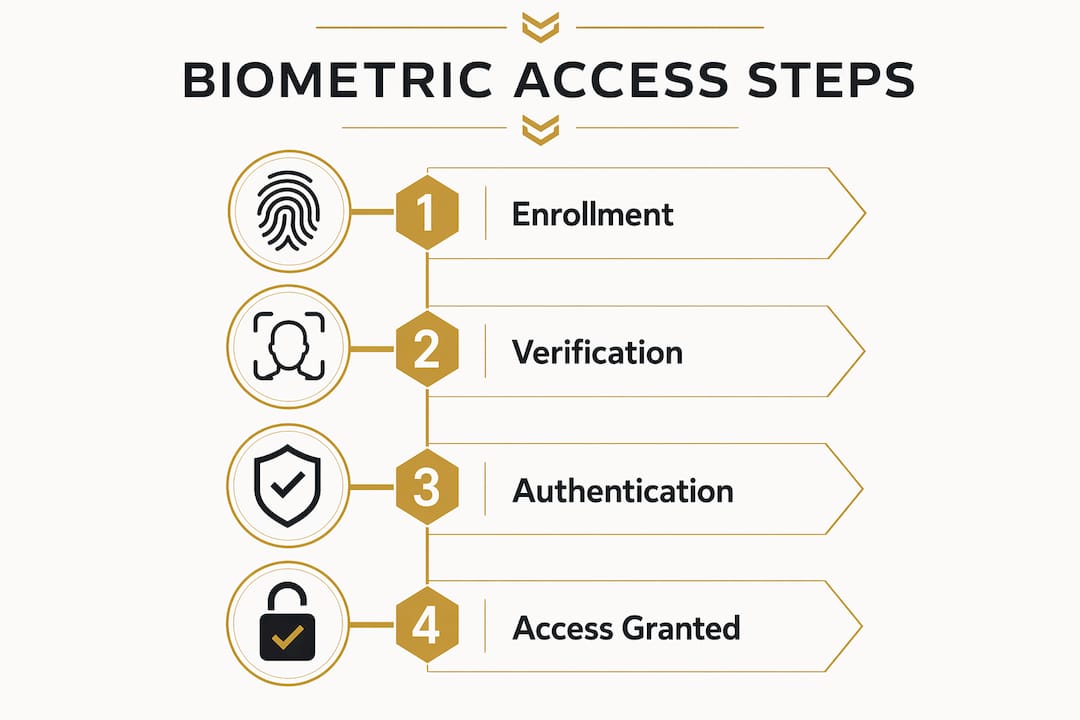
Biometric access control replaces traditional credentials with a person’s unique physiological traits for authentication. The process runs in two distinct phases: enrollment and verification.

The enrollment phase is where the system learns who you are. A sensor captures your biometric sample, whether that is a fingerprint scan, a facial geometry map, or an iris image. The system then converts that sample into an encrypted mathematical template, not a photograph or raw image. That template is stored either on the device itself or on a secure server, depending on the system architecture.
The verification phase happens every time you request access. The sensor captures a new live sample and compares it against the stored template. If the match exceeds a set confidence threshold, the door unlocks or access is granted, typically within milliseconds.
There is an important technical distinction worth knowing. Verification uses 1:1 matching, comparing your scan against one stored template. Identification uses 1:N matching, scanning your biometric against an entire database to find who you are. Most property access systems use verification because it is faster and more accurate.
Pro Tip: When setting up a biometric lock at home, enroll each finger or face profile twice under different lighting conditions or angles. This reduces false rejections without compromising security.
What are the main types of biometric authentication?
Common biometric types include fingerprint scanning, facial recognition, iris scanning, palm vein recognition, and voice recognition, each with distinct strengths and trade-offs.
- Fingerprint scanning is the most widespread modality. It is affordable, fast, and accurate enough for most residential and small business applications. The main limitation is performance in wet or dirty environments.
- Facial recognition works without physical contact. It is ideal for high-traffic entry points like office lobbies or apartment building doors. Accuracy depends heavily on camera quality and lighting.
- Iris and retina scanning deliver the highest accuracy of any biometric method. They are harder to spoof and work even with glasses on. The trade-off is higher hardware cost, making them more common in government or enterprise settings.
- Palm vein recognition reads the unique vein pattern beneath your skin using near-infrared light. It is extremely difficult to replicate and is gaining traction in healthcare and financial facilities.
- Voice recognition is convenient for remote or hands-free scenarios but is more vulnerable to recording-based attacks and background noise interference.
Beyond modality, systems also differ by architecture. Device-based systems store biometric templates locally on the reader or lock itself. Device-local storage keeps biometric data private and prevents leaks if a central server is compromised. Server-based systems store templates centrally, enabling multi-site access management and detailed audit logs, which suits larger enterprises managing dozens of entry points.
| Modality | Accuracy | Cost | Speed | Best Use Case |
|---|---|---|---|---|
| Fingerprint | High | Low | Very fast | Homes, small offices |
| Facial recognition | High | Medium | Fast | Lobbies, apartment buildings |
| Iris scanning | Very high | High | Moderate | Enterprise, government |
| Palm vein | Very high | High | Moderate | Healthcare, finance |
| Voice recognition | Moderate | Low | Fast | Remote access, hands-free |
Pro Tip: For a home with children or elderly residents, facial recognition or fingerprint scanners are the most practical choice. Iris scanners require precise positioning that can frustrate casual users.
What are the security advantages and challenges of biometric access?
Biometric security systems raise the cost of attacks and reduce credential theft risks compared to reusable passwords or physical cards. A stolen keycard grants immediate access. A stolen fingerprint template stored as an encrypted hash grants nothing useful to an attacker.
Advantages of biometric access control:
- Credentials cannot be shared, lent, or forgotten
- Authentication is tied directly to a physical person, creating a clear audit trail
- Access logs record exactly who entered and when, with no ambiguity
- Liveness detection is now standard in production-grade systems, blocking spoof attempts using photos, masks, or silicone replicas
- Long-term administrative costs drop because there are no keycards to reissue or PINs to reset after staff turnover
- Biometric systems reduce overhead from lost credential support and strengthen access audit trails over time
Challenges to consider:
- Enrollment errors can occur if the initial biometric sample is captured poorly, leading to false rejections later
- Sensor failures from dirt, damage, or hardware faults can lock out legitimate users
- Privacy concerns are real. Users reasonably want to know where their biometric data is stored and who controls it
- Biometric data, unlike a password, cannot be changed if it is ever compromised
Biometric systems should never be treated as a standalone security solution. Experts at Proofpoint confirm that layered security frameworks with multi-factor authentication are the correct deployment model. Biometrics are one strong layer, not the entire wall.
On privacy, reputable systems protect users by storing only non-reversible encrypted templates rather than actual images. These templates cannot be reverse-engineered into the original fingerprint or face scan. Systems compliant with GDPR and CCPA regulations follow this standard by design.
How to implement biometric access for your home or business
Choosing and deploying a biometric access system requires matching the technology to your specific environment, user count, and security goals.
Start by assessing your needs:
- How many people need access? A household of four has very different requirements than an office of 200.
- What is the security level required? A gun safe needs faster, more reliable access than a storage room.
- What is your budget for hardware, installation, and ongoing maintenance?
Choosing the right modality for your environment matters more than picking the most advanced option. Fingerprint locks work well for most homes and small businesses. They are affordable, widely available, and easy to enroll. For a retail store or office building with high foot traffic, facial recognition readers at entry points offer contactless speed. For a biometric gun safe, fingerprint access is the standard because it delivers fast, one-handed entry under stress.
Integration with existing systems is the next consideration. Many biometric readers connect to smart home platforms or existing access control panels. Products like the Sports Afield SA-HD1-BIO biometric vault integrate fingerprint access directly into the safe hardware, requiring no external network connection. For larger properties, server-based systems from providers like IDEX Biometrics allow centralized management across multiple entry points.
Best practices for enrollment and maintenance:
- Enroll multiple fingers per user as a backup in case of injury
- Re-enroll users periodically, especially if sensor accuracy degrades over time
- Test the system monthly to catch sensor drift or hardware issues early
- Keep firmware updated to receive the latest liveness detection improvements
- Document who is enrolled and remove former employees or tenants promptly
The advantages of electronic locks extend beyond biometrics. Combining a biometric reader with a PIN backup or a smart lock app gives you redundancy if the sensor fails. That layered approach is exactly what security professionals recommend.
Key takeaways
Biometric access control delivers stronger, more accountable security than traditional credentials by tying authentication directly to a person’s physical identity.
| Point | Details |
|---|---|
| Core definition | Biometric access authenticates users via unique physical traits, not keys or passwords. |
| How it works | Enrollment creates an encrypted template; verification matches a live scan to that template in milliseconds. |
| Types available | Fingerprint is most practical for homes; iris and palm vein suit high-security enterprise settings. |
| Security strength | Liveness detection and non-reversible templates make biometric systems significantly harder to spoof or steal. |
| Implementation rule | Always pair biometrics with a backup method and integrate into a layered security strategy. |
Biometrics are maturing fast. here is what that means for you.
I have watched biometric access move from a niche enterprise technology to something you can buy for under $200 at a consumer retailer. That shift is genuinely significant, but it comes with a misconception I keep seeing: people treat biometric locks as foolproof. They are not.
What biometrics actually do is raise the cost and complexity of unauthorized access to a level that deters most real-world threats. A burglar who finds a keycard on the street can use it. A burglar who lifts a fingerprint from a glass cannot walk up to your door and use it. That asymmetry is the real value, not some claim of perfect security.
The privacy concern is legitimate and often underplayed. When you enroll your fingerprint in a device-based lock, that data stays on the hardware. When you enroll in a cloud-managed enterprise system, you should ask exactly where that template lives and what the vendor’s breach response plan looks like. Most people never ask. They should.
The trend I find most interesting right now is the move toward Zero Trust integration, where biometric identity is just one signal in a continuous authentication model. Your face unlocks the door, but the system also checks your device, your location, and your behavior pattern before granting full access. That is where commercial property security is heading, and it will eventually reach the residential market too.
For now, the practical advice is simple. Use biometrics as your primary layer. Back it up with a PIN or a smart lock app. Keep your enrollment data current. And buy from vendors who are transparent about how they store and protect your templates.
— Chetna
Upgrade your property security with biometric solutions
Safesandsecuritydirect carries a full range of biometric security products built for both home and business use. From fingerprint-enabled gun safes to smart locks and surveillance systems, every product is selected for reliability and real-world performance.

The Sports Afield SA-HD1-BIO, SA-HD2-BIO, and SA-HD3-BIO biometric vaults give you fast fingerprint access with no network dependency, making them ideal for home defense storage. For broader property security, browse the full catalog at Safesandsecuritydirect to find the right combination of biometric locks, safes, and surveillance tools for your specific needs. If you are unsure where to start, the site’s product guides and customer support team can help you match the right technology to your property.
FAQ
What is biometric access in simple terms?
Biometric access is a security method that uses your unique physical traits, like a fingerprint or face scan, to verify your identity and grant entry instead of a key or password.
Is biometric data stored as a photo or image?
No. Reputable biometric systems store only an encrypted mathematical template that cannot be reverse-engineered into the original image, protecting your privacy even if the system is breached.
What is the most common type of biometric access control?
Fingerprint scanning is the most widespread biometric modality because it is affordable, fast, and accurate enough for most home and business applications.
Can biometric access systems be fooled?
Modern systems include liveness detection to block spoof attempts using photos or masks. No system is completely immune, but biometrics significantly raise attacker costs compared to traditional credentials.
Do i need a backup access method with a biometric lock?
Yes. Security experts recommend pairing biometric access with a PIN or secondary method. Sensor failures from damage or environmental conditions can occur, and a backup prevents lockouts.